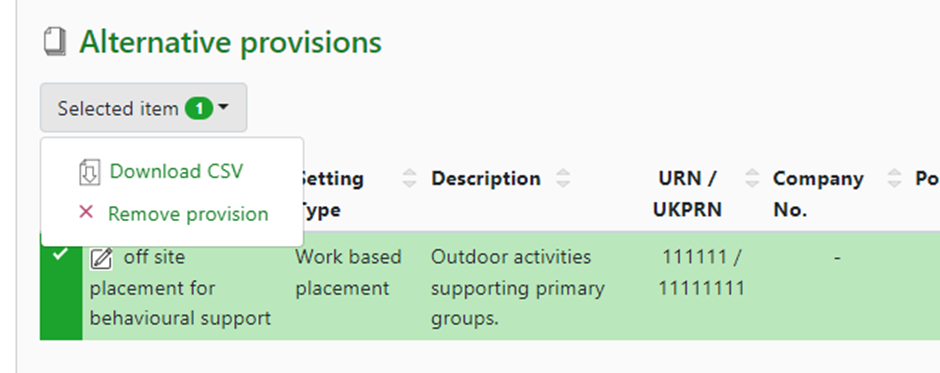
Alternative Provision [AP] refers to education arrangements for students who cannot attend mainstream educations due to reasons such as suspension, illness or behaviour problems. A record of any alternative provision placement is required in the MIS as part of the statutory school census returns for England and Wales. Further guidance available at DfE – Alternative Provision.
The DfE defines alternative provision as ‘education arranged by local authorities for pupils who, because of exclusion, illness or other reasons would not otherwise receive suitable education; education arranged by schools for pupils on a suspension and pupils being directed by schools to off-site provision to improve their behaviour.
There are 3 approaches where a student might be added to alternative provision:
- Permanent exclusion, where the student is removed from the school roll.
- A managed move, where the student transfers to the provision with the co-operation of parents, governors and the LA or academy trust. This often avoids the requirement for a permanent exclusion.
- A referral, where the student remains on the schools roll but receives all or some of their education off-site.
Permissions needed to manage alternative provision
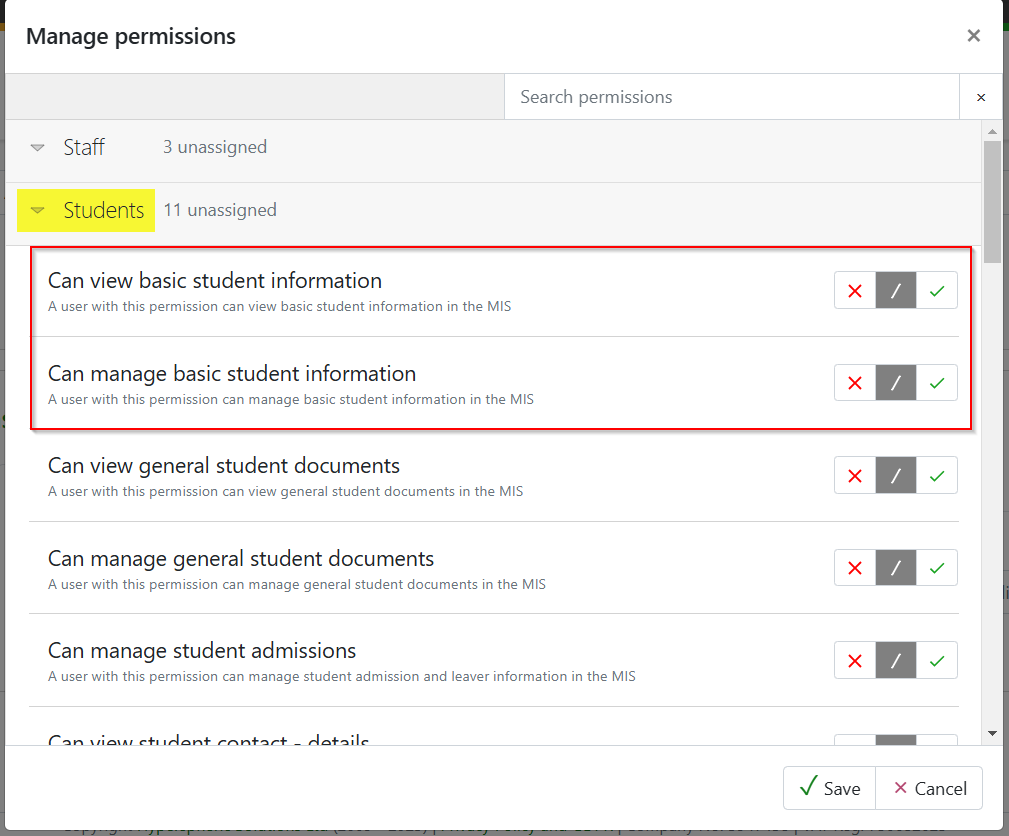
To view AP information staff will need the 'Can view basic student information' permission, found in the 'Student' drop-down. To manage (add/remove/edit) information relating to AP they will also need the 'Can manage basic student information' permission.
Student record page
People > Student records > Alternative provisions will display a listing page of all students where a provision has been recorded within their student record so this can be checked for the school census. The list can be filtered by admission status, year group or individual students.
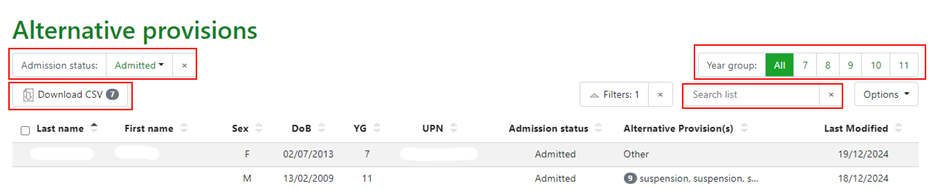
GO MIS will calculate the send provision code, the entry and leaving dates for the census although that is not visible.
Adding an alternative provision
From the student record page select ‘Alternative Provisions’ from the left-hand quick menu.

Select +Add new alternative provision to access the modal to add details.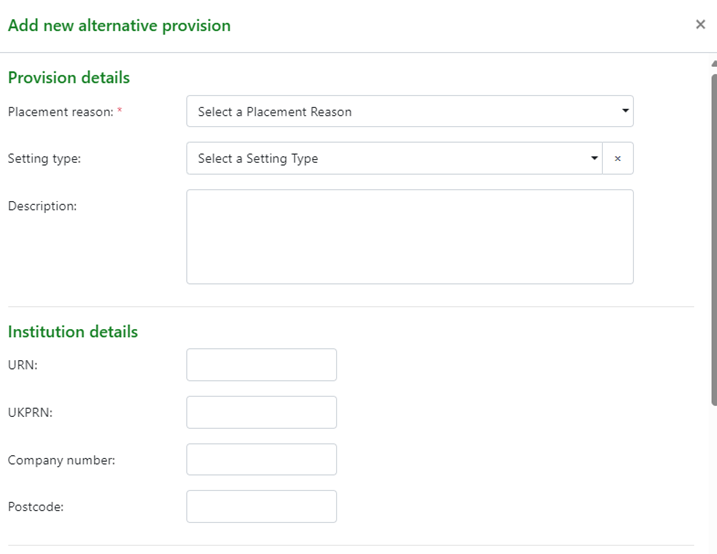
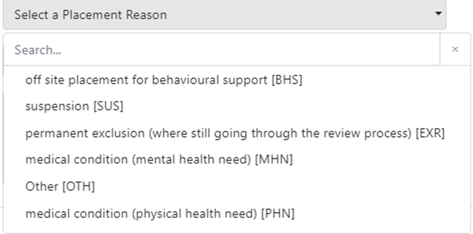
The placement reasons are selected from a drop-down menu. NB these are the terms used in the school census.
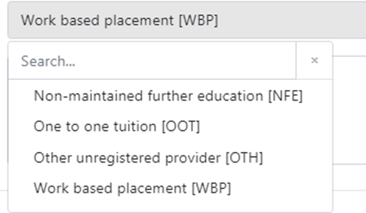
Select the setting type. A description of the placement and details can also be added.
Either the providers URN or UKPRN is required but not both and the company number can be added for registered company providers and the postcode.
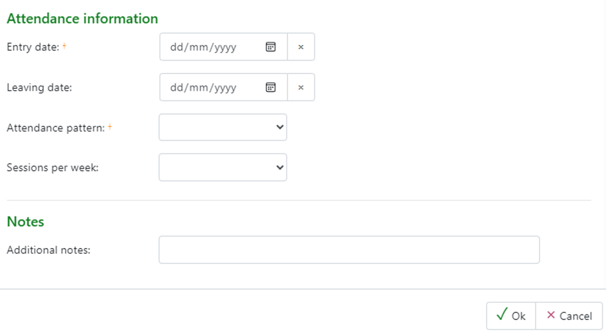
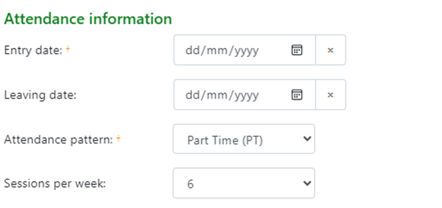
Attendance information is also required including starting and leaving dates for the period of provision as well as the attendance pattern for either full time or part time provision. Also the number of sessions the student is attending the provision for.
Additional notes can be added regarding specific information about the provision placement period.
Once complete click ‘OK’ to view on the student record page.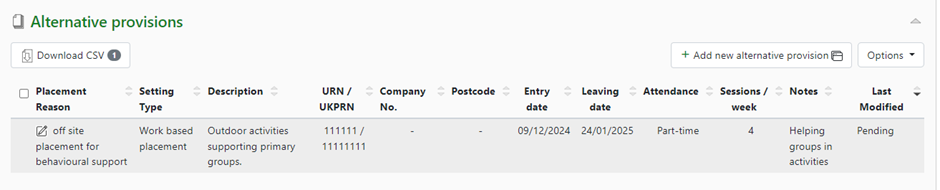
Then click ‘Save’ to add to the record.
If multiple records are listed for a student these can be downloaded by CSV or removed.