
This feature allows ‘swaps’ to be made when setting cover and wish to use someone who is already teaching to cover a lesson and then add another available teacher to cover them. For example:
- English teacher A is absent and has an exam group so this needs to be covered by another English specialist, but they are all teaching.
- English teacher B can be assigned to cover for English teacher A.
- English teacher B can then be covered by another available person.
In the cover diary set the absence as per the Cover management article, and then select the period to be covered to access the 'Edit cover' diary modal via the 'Change cover assignment' link.
If a staff member is selected who is already teaching the cover assignment will show as ‘Over allocated’ and the teacher assigned will show a ‘Cover replacement’ flag.
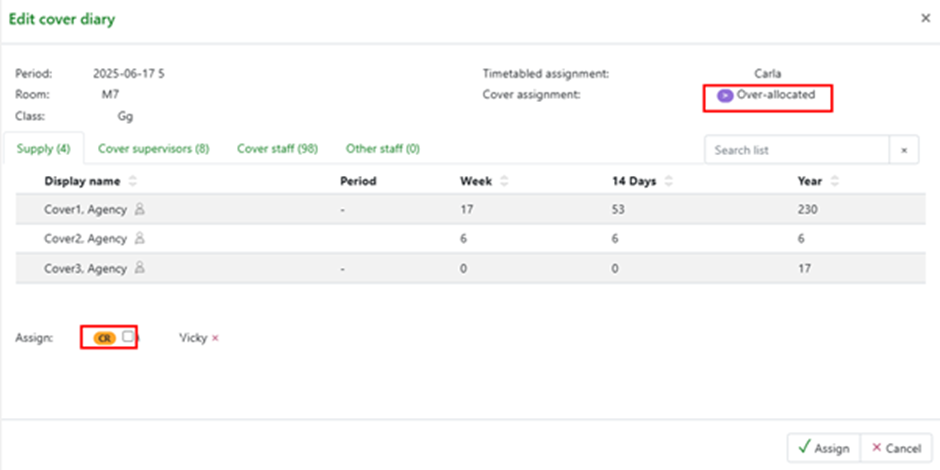
Click the checkbox to set the assigned staff member as requiring a cover replacement.

This will now display in the cover diary so cover can now be set for this staff member for the corresponding period following the normal cover process.
