
This guide goes through steps to update information for the student characteristics held on the student record page.
Permissions needed to upload student characteristics
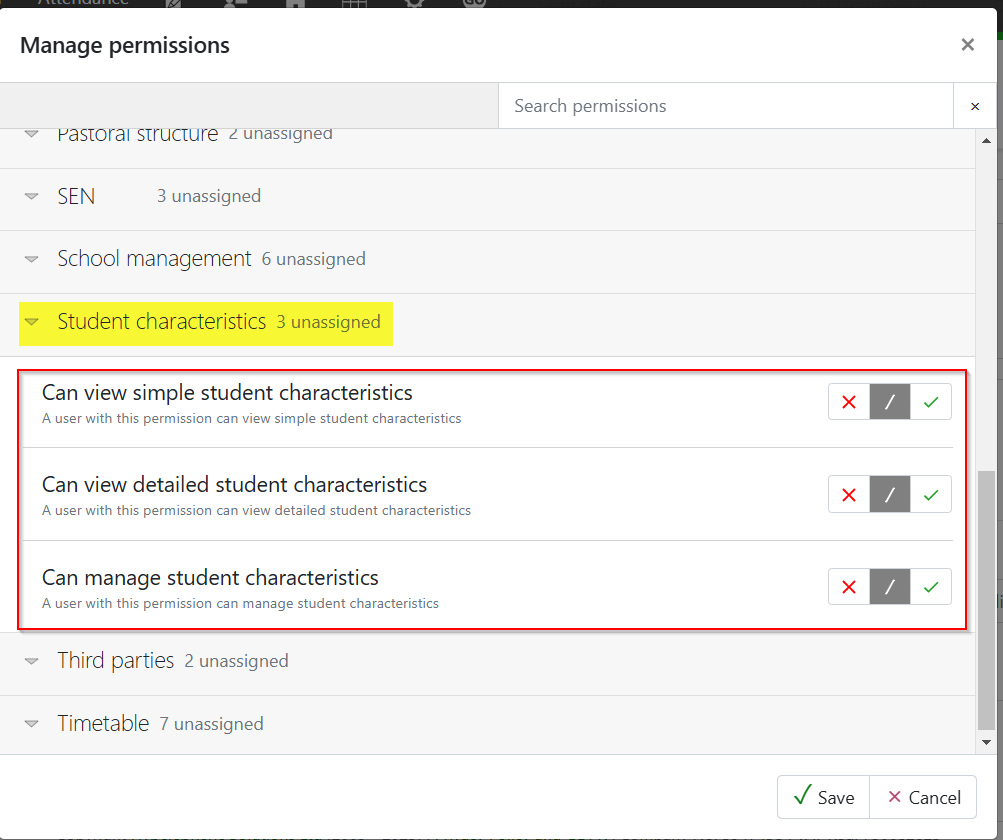
To upload the file staff will need the 'Can manage student characteristics' permission, found in the 'Student characteristics' drop-down. They will also need the view permissions. Alternatively, staff will need to be school managers.
Uploading the .csv file
Go to People > Students > Data uploads (e.g. GIAP)
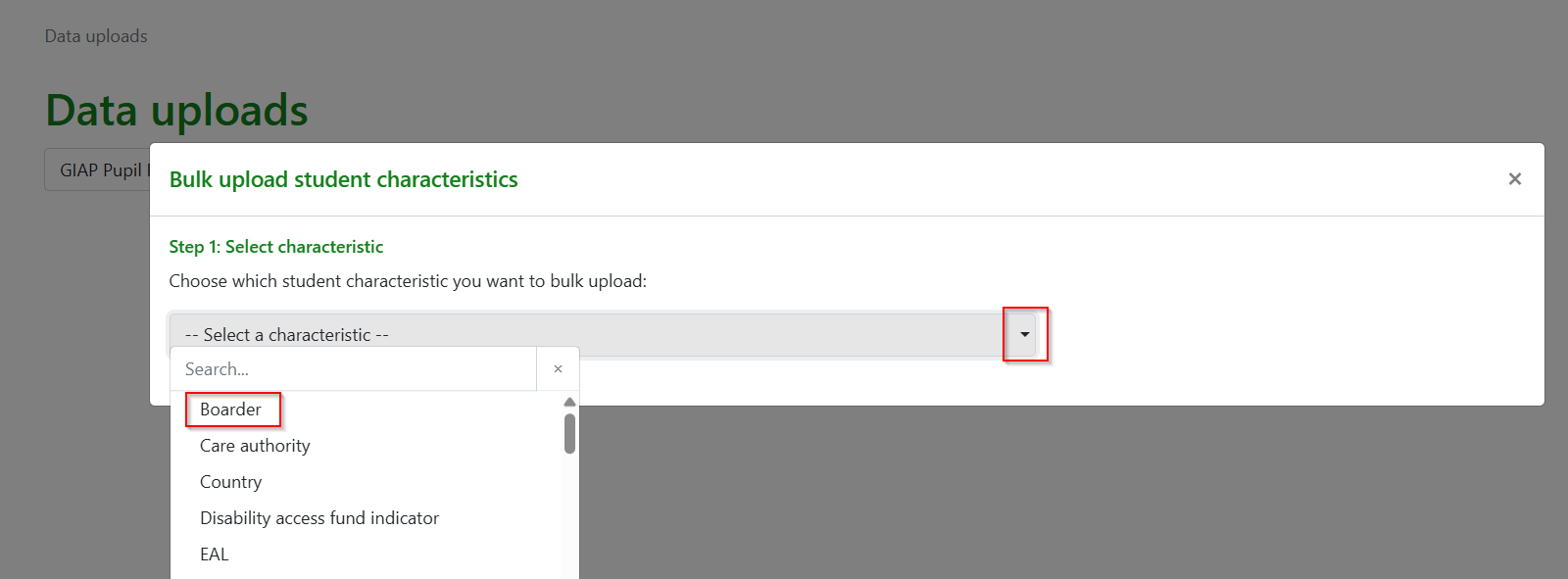
From the data uploads page select Bulk Upload Student Characteristics and then select the characteristic you would like to populate from the modal pop-up drop-down. This will need to be completed one at a time.
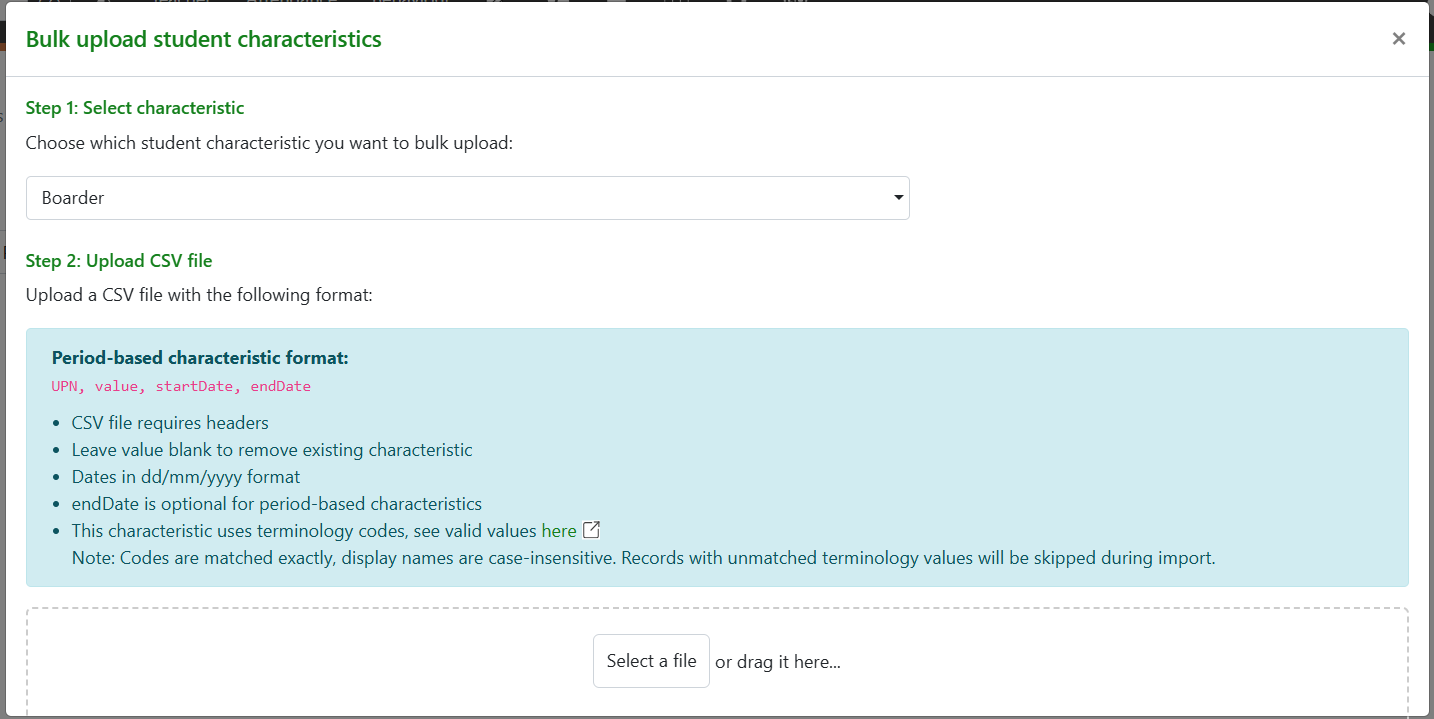
The next modal will allow you to either drag in a file, or select from within your folders:
Common errors when uploading
CSV errors will occur if:
- the file is not a CSV
- headers are not present (UPN, value, startDate, endDate)
- Dates are not in the format dd/mm/yyyy
- The value for the characteristic is not consistent with the field or the terminology used. e.g. Gifted/talented is a y/n boolean field and cannot accept descriptions or values. Ethnicity values are controlled by values in the ethnicity terminology, and those not present will not be uploaded
- Display names are case-sensitive, therefore mismatching records will be skipped during import
Additional points:
- If there are blank spaces in the value column the existing characteristic value will be removed
- endDate is optional for period-based characteristics
- startDate and endDate do not need to be populated where not appropriate, e.g. EAL
Viewing the data in GO 4 Schools
Data is visible in the Student characteristic section of the student record page:
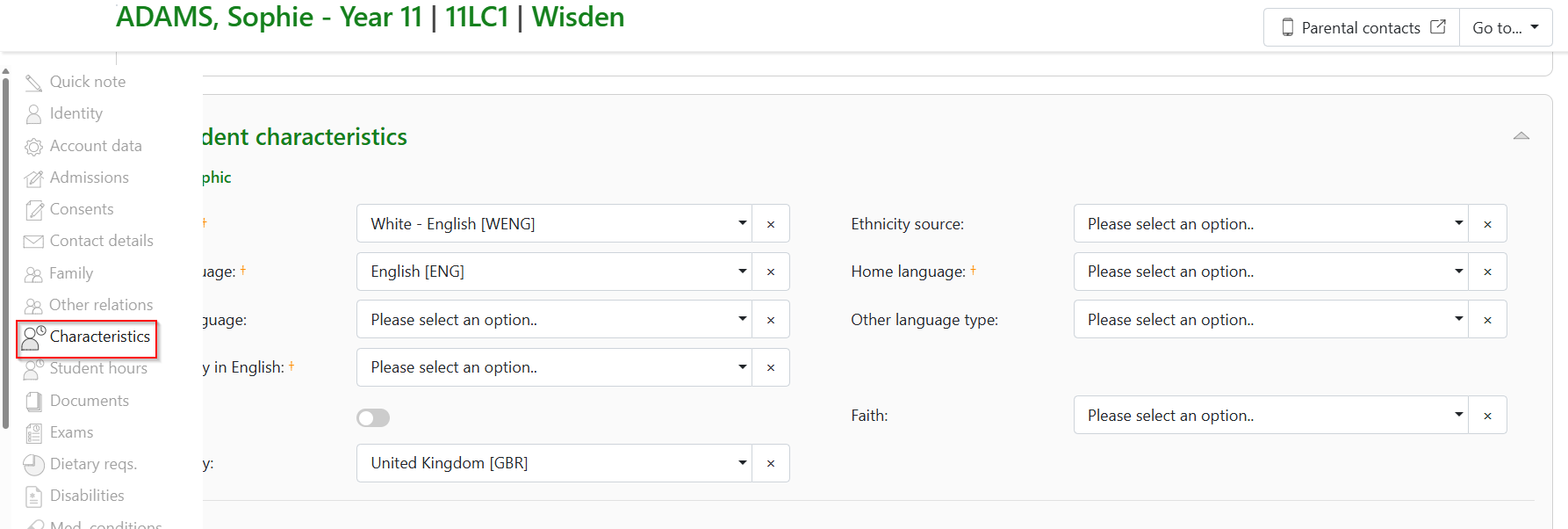
Data will also populate the corresponding system attribute and this will be visible based on the attribute settings and whether it has been added to an attribute set.