
Schools use external supply agency staff for cover and will need to quickly add these into the MIS to make them available in the cover diary. Some schools may want to set up Cover accounts that can be assigned to external supply teachers or add their specific details to the MIS and then remove as needed.
You have the option on adding an email address so the external supply staff can log into the MIS to take registers,
OR
Not adding an email address and manually printing registers.
Quick-add a Supply teacher
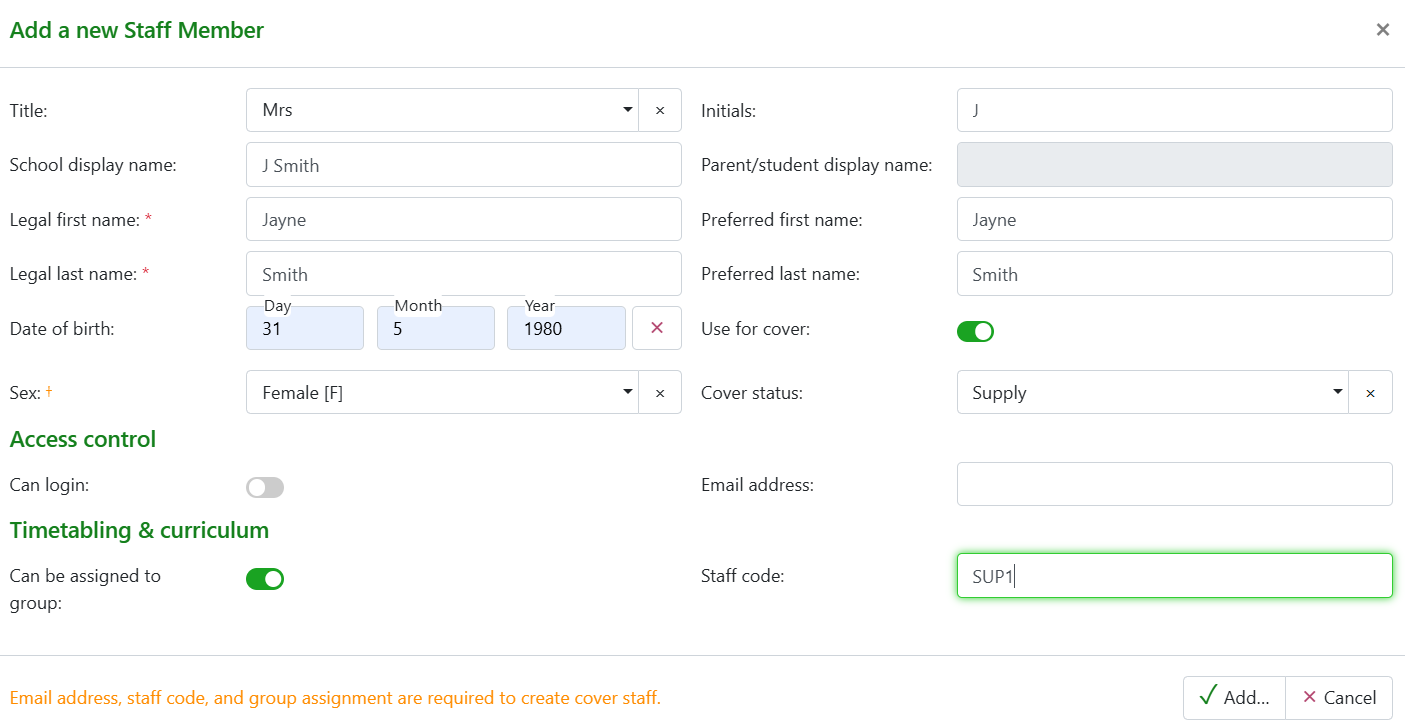
To 'quick add' an external supply teacher from the cover diary select +Add new staff member and complete the details in the modal. These are required for the person to show in the cover diary as being available to be assigned to cover and to view in Timetables. Set as:
- Can be assigned to group - toggle ON
- Use for cover - toggle ON
- Cover status set - Supply
- Add a Staff code - Can be generic i.e. SUP1
- Optional - add an email address only if you wish External supply to log in.
- Also toggle 'Can log in' to 'ON'.
A generic sample record may look like the example below:
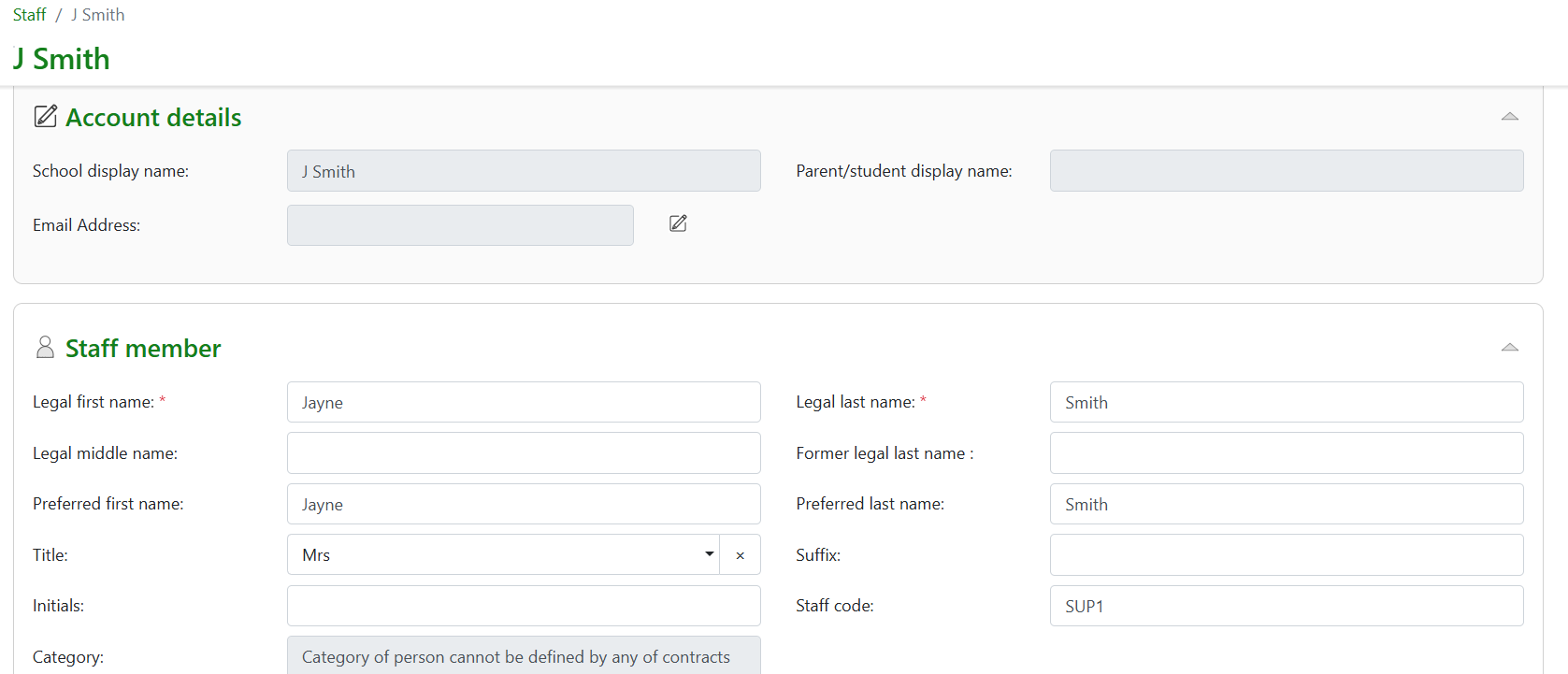
Once added you will be directed to the staff record page, no more details need to be added to a generic account, but you can complete more information if a specific named supply teacher is being added. Save the page.
For a general cover account
If a staff member is created in the MIS as ‘Cover’ this account can be used as a general cover teacher to assign when external supply staff are to be used. Ensure the display name is added to the account and a staff code is added so this will display in the cover diary.
If I assign an email address of Cover1@school.com and that is an active email account they can then log in using this email.
The account will require a staff code i.e. CV1 and settings for 'Can be assigned to group', 'Use for cover' and set as Supply in cover status.

From the cover diary this general account is now visible to select for cover:
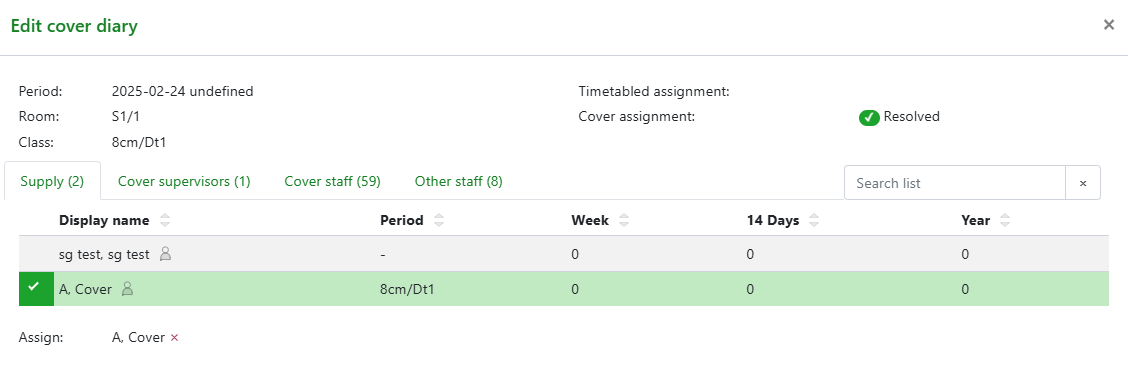
Once assigned this will show on the cover diary:

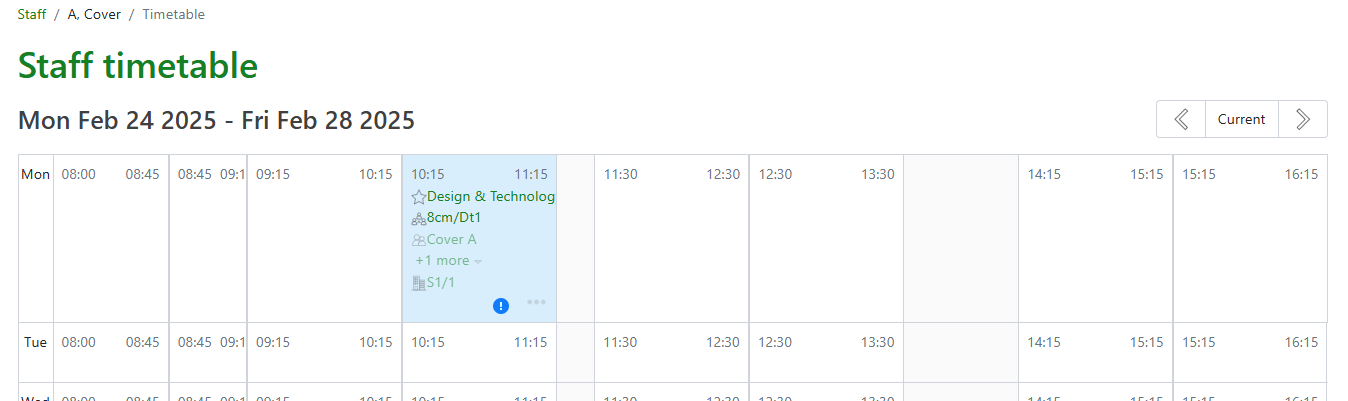
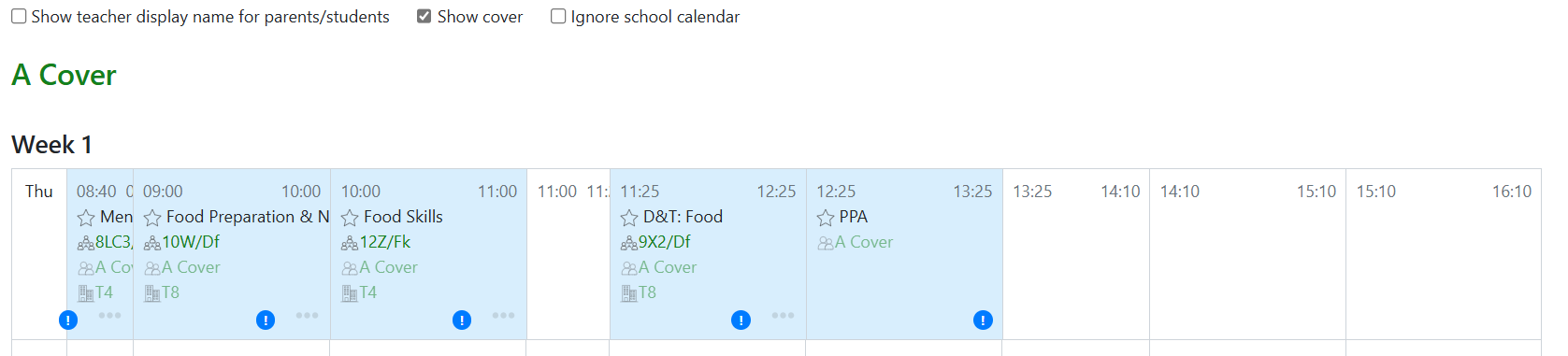
Because an account has been created for general cover to access information in GO 4 Schools this can now be accessed via User > Teachers > Select 'A, Cover' to view the timetable of assigned cover to the supply teacher. Cover lessons are highlighted in blue and allow quick access to take group registers.
Supply staff with no access to GO 4 Schools
To print a day's cover for external supply staff who do not have access to the MIS go to Curriculum > Timetable > Timetable report. Search for the External supply teacher to view the Timetable and set the date range to today, with the toggle 'Show cover' enabled, and the cover will display. Links can be used to go to attendance registers to print and the Timetable print out can be given to the supply staff.
A Cover slip can be printed from the timetable report page:
