
Required permissions
To manage internal basedata you will need the following two permissions found under the Exams drop-down.
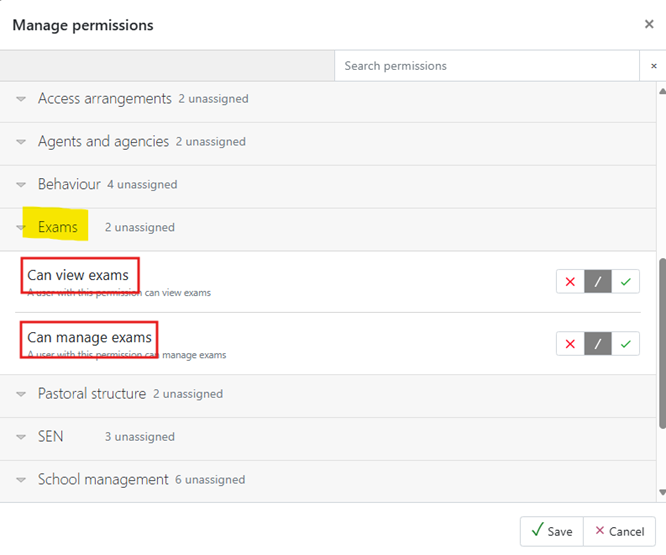
Schools can create their own basedata for internal exams, to allow them to manage the exams in a formal way. Once the season has been created (Setting up exam seasons), the basedata can be created from scratch, or cloned from a previous season. A full series or individual awards can be cloned.
Creating new basedata
When creating internal basedata, you must first create a Series. Click on the Series tab and then click on +Add series.
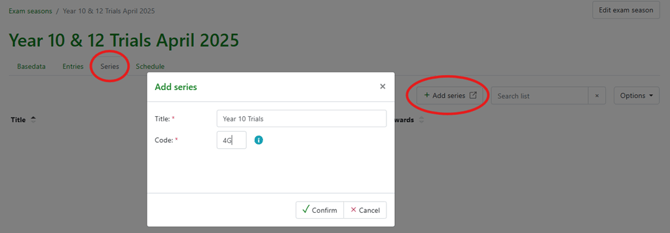
Add a series Title and Code (NB: series code must follow the JCQ naming conventions for month and type, e.g. 4G for an April GCSE series).
An internal season can include multiple series.
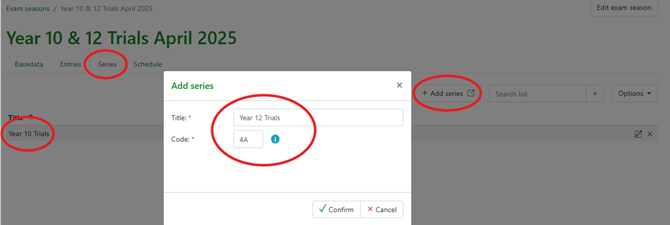
Once you have created your series, click on the Basedata tab and select +Add award. Enter a name and code for the award and select an existing series.
Each award consists of Option(s) and Component(s).
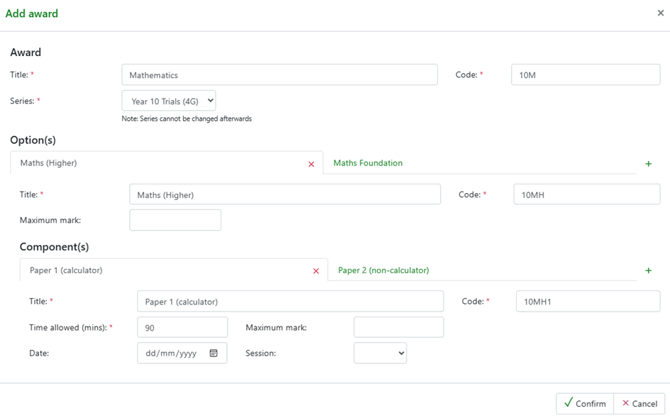 In the above Mathematics award, there are two options (Higher and Foundation) and each option has two components. If the date of the exam is already known, it can be added to the component. If the exam timetable has not yet been written, this information can be added at a later date by editing the award.
Copying existing components
If creating an award that has multiple options with similar components, it is possible to copy the components from one option to another. To do this, create your first option, add the components and click on Confirm. Edit the award by clicking on the Edit link next to the award name and add another option.
From the new option, click on the plus sign to create a new Component, select Existing and then select the component you wish to add. In the example below, we are adding the Listening exam.
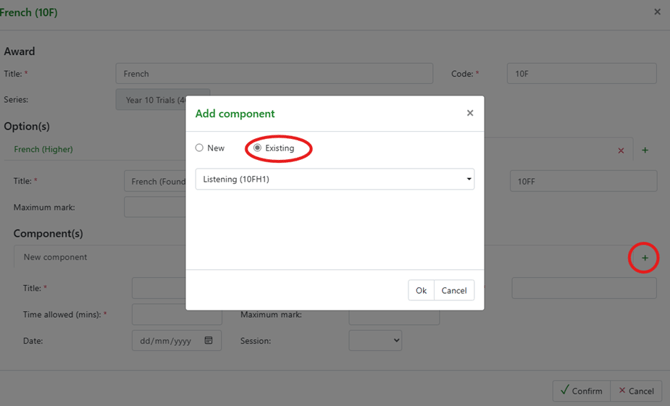
Once the component has been added, make any necessary changes (e.g. change the code to 10FF1 to indicate it is a Foundation component). Repeat this process to copy any other relevant components and click on Confirm.
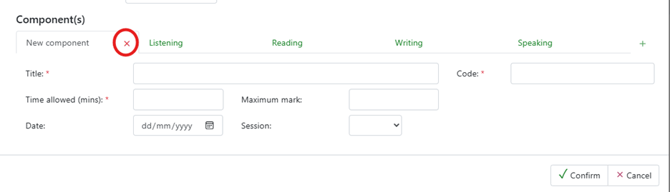
Delete the unused Component tab by clicking on the red cross.
Cloning basedata
To clone an existing series, from the relevant Exam Season page click on the Clone existing series link. A dialog box will open to show existing Internal Seasons. Use the toggle to include past seasons, if required.
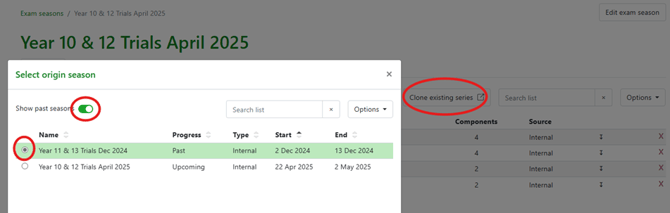
Once you have selected the season, select the required Series and click on Next. You can now select the award(s) you would like to clone. Finally, either select an existing series or enter the name of a new Series to complete the process. Edit the cloned award(s) to make any necessary changes (e.g. code).
Once you have created your basedata, the system is ready to Make exam entries.