
The student record will hold key student characteristics that are collected as part of the school census or transferred with the student between schools. This data is key to the context of the student in school.
The information includes demographic data, general information, Early years and secondary specific data. Data can be entered manually on each student's record or added via a CTF Import or data upload i.e. Pupil premium.
Permissions
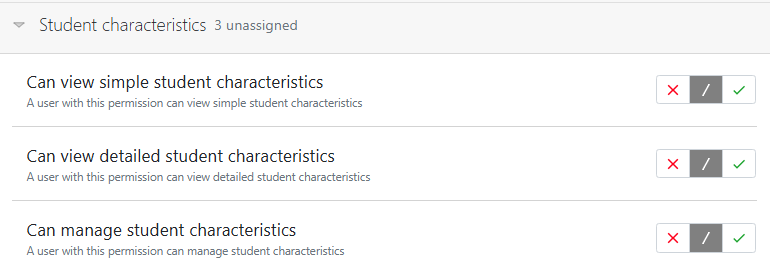
Users will require view and management permissions for student records as well as specific permissions to view and manage student characteristics.
Demographic
Key information pertaining to the students ethnicity and language. The fields marked ‘t’ are collected in the annual schools census.

All data is selected via the terminologies set from the CBDS (Common base data set). An extended ethnicity list is available, go to Settings > Schools contact details and settings > MIS, to enable.
General
This section hold the contextual data for each student including periods of free schools meals. Looked after child information etc. Each area can be added and updated with start dates and end dates for the student record.
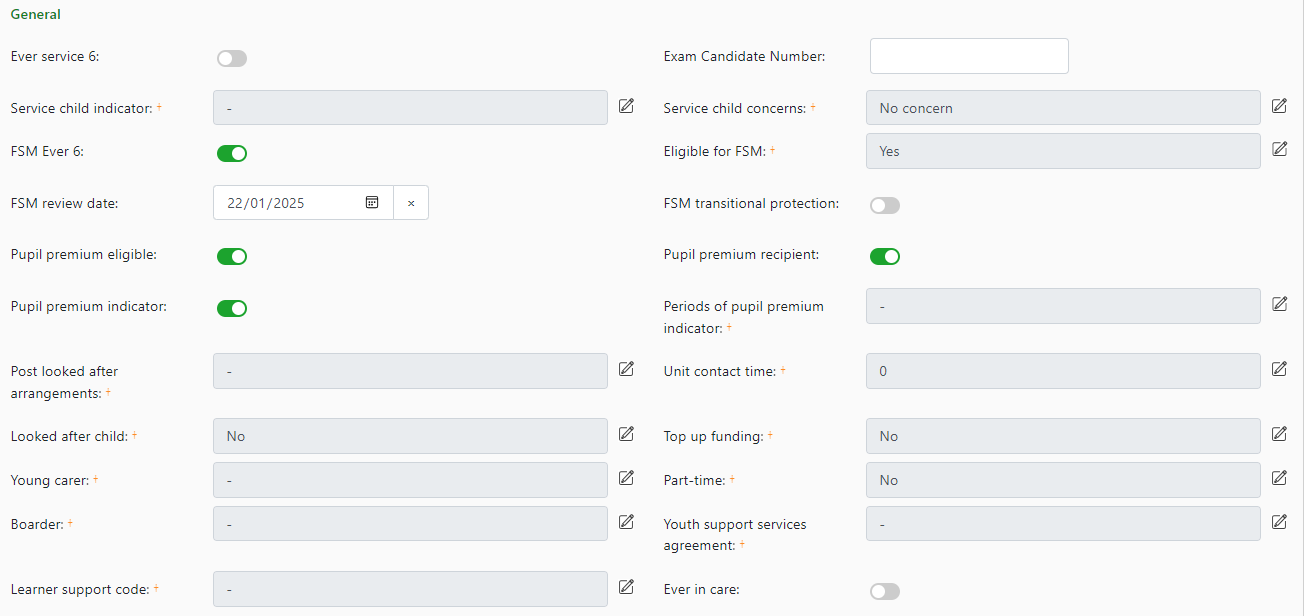
To edit select the  button to open a modal: e.g. Free school meals:
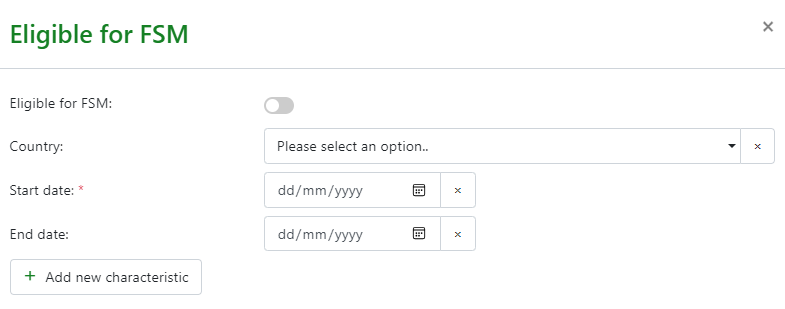
Set the toggle for eligibility for FSM, the country of receipt and then start date to then +Add a new characteristic. This will add the period of FSM eligibility to the student record.
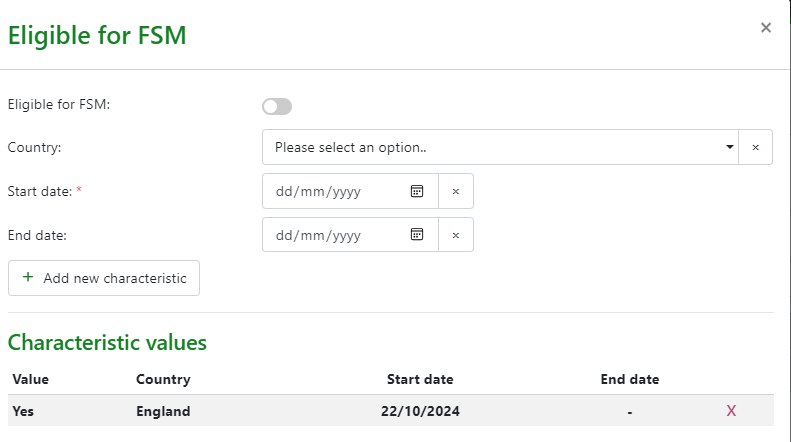
Additional information regarding FSM and receipt of Pupil premium can be added to maintain an accurate record.

All characteristic values are added in the same way from the student record page.
Student attributes
Data from student characteristics in the student record will also be available in student attributes so can be made visible in Data explorers when included in attribute sets and used for analysis. See student attributes for more detail.