
Permissions relating to student disability management
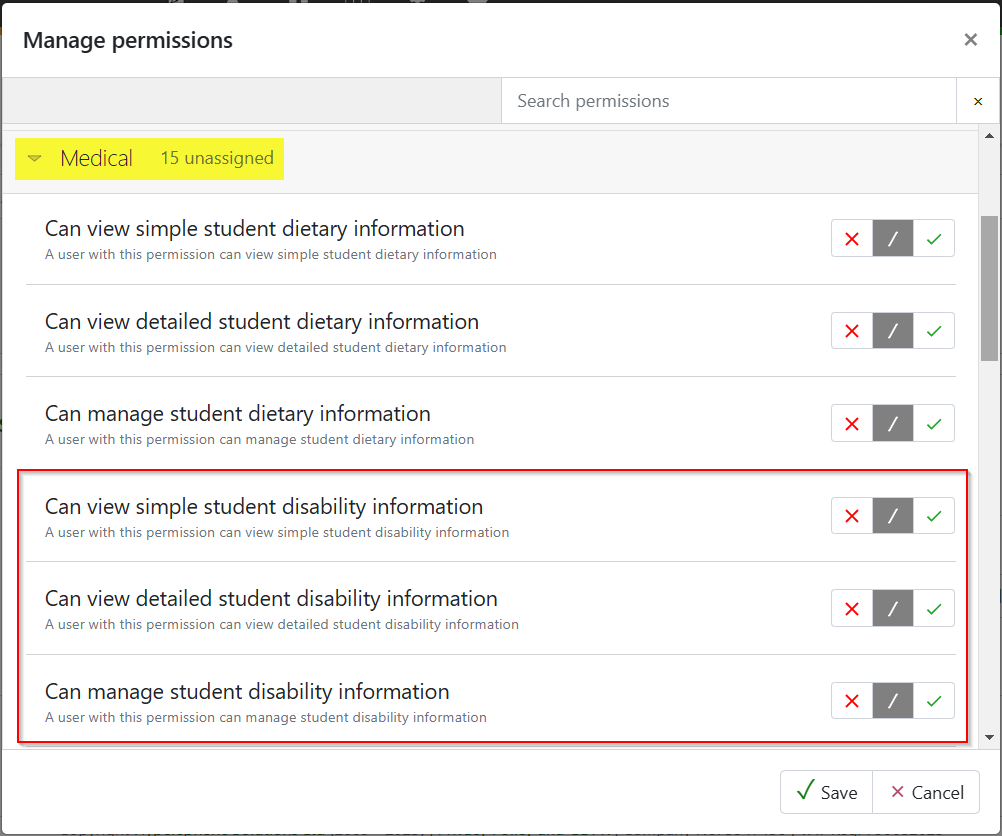
To view the summary details of the student disabilities staff will need the 'Can view simple student disability information' permission, found in the 'Medical' drop-down. To view the detail, including attached information, staff will also need the 'Can view detailed student disability information'. To manage (add/remove/edit) information relating to student disabilities they will also need the 'Can manage student disability information' permission.
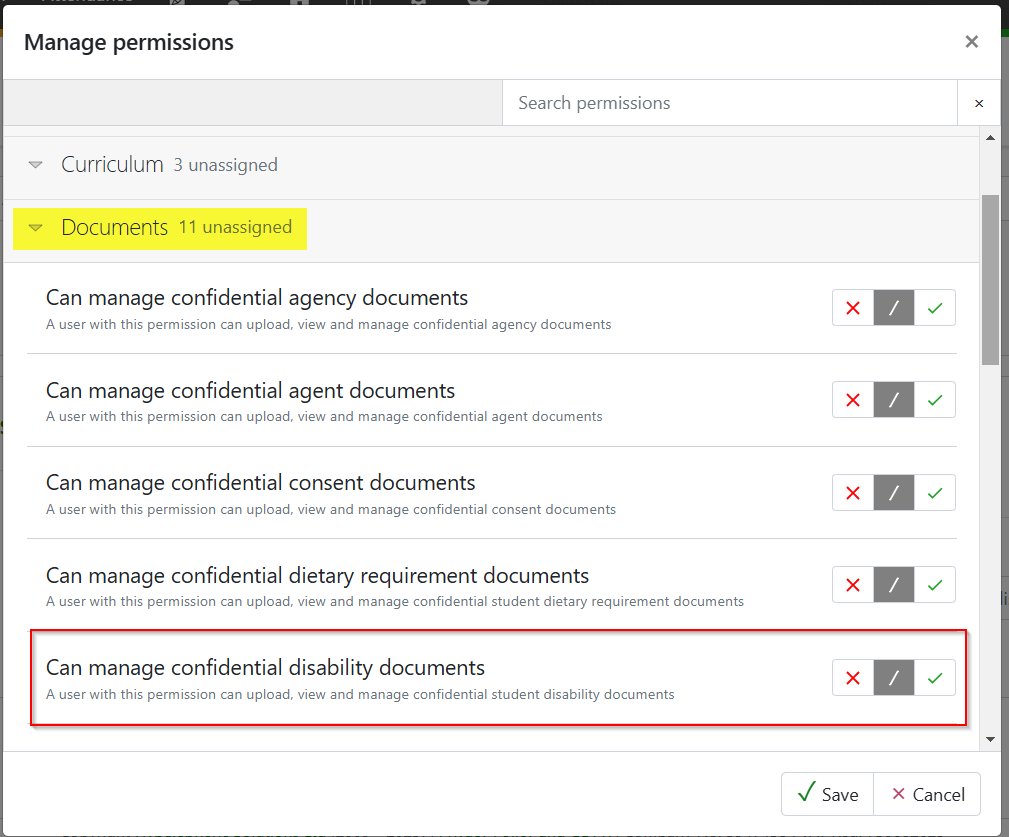
To add confidential disability documents, the additional permission of 'Can manage confidential disability documents' will need to be given. This can be found in the 'Document' section.
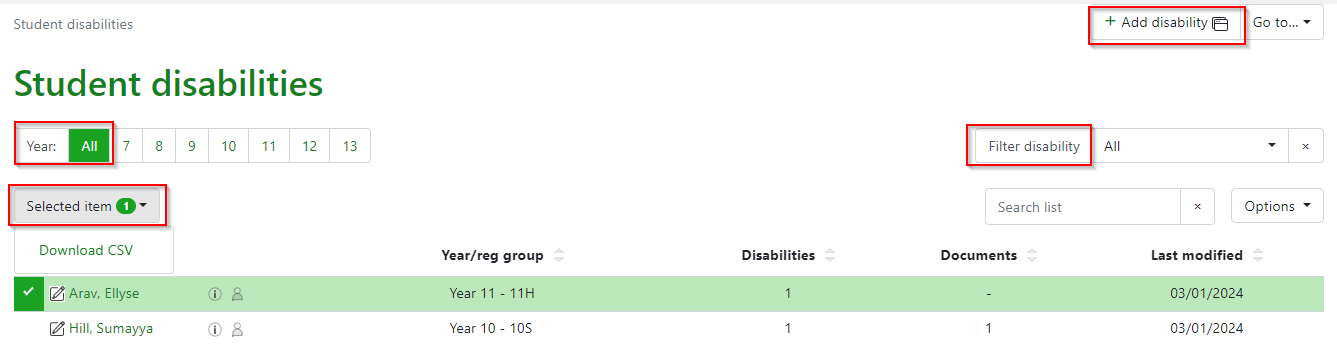
The disabilities listing page enables all students with a disability to be recorded in the MIS. Accessed from People > Student > Medical > Disabilities. Features on the page include a quick filter by year group, or a filter by a specific disability. Students can be selected from the list and downloaded as a csv. The file contains all the specific details of the disability for each student.
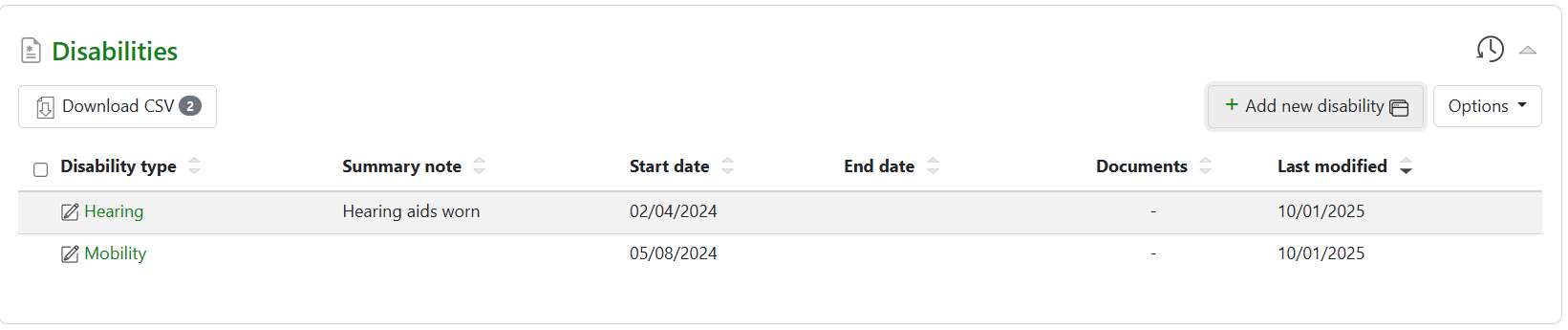
Selecting a specific student will show the disabilities recorded:
Clicking on the disability type will show the details and also give options to add documents and view the audit trail of changes made to the record. Summary notes can be succinct notes that need to be shared with staff.
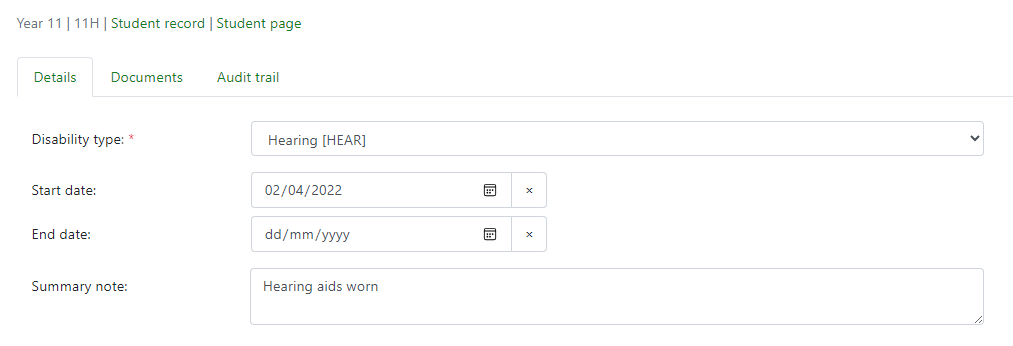
Documents can be added by drag and drop, browsing or a URL linked to a document held outside the MIS. When added, documents can be marked as confidential which only allows them to be viewed by those with the ‘Can view detailed student disability information' permission.

Add a disability from listing page
Select ‘+ Add disability’ to access the modal to add the required details.
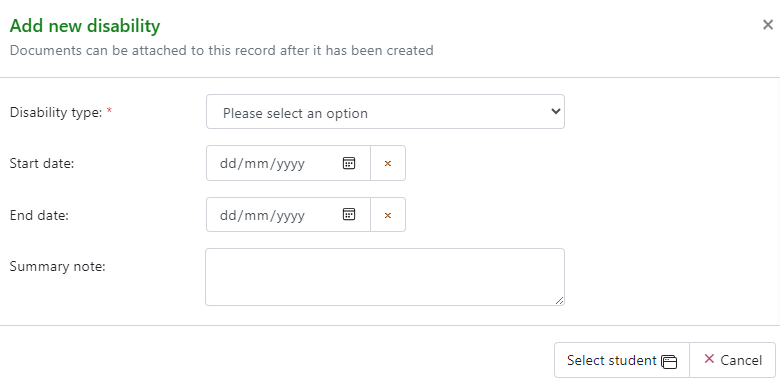
Then 'Select student' to access the student search page:
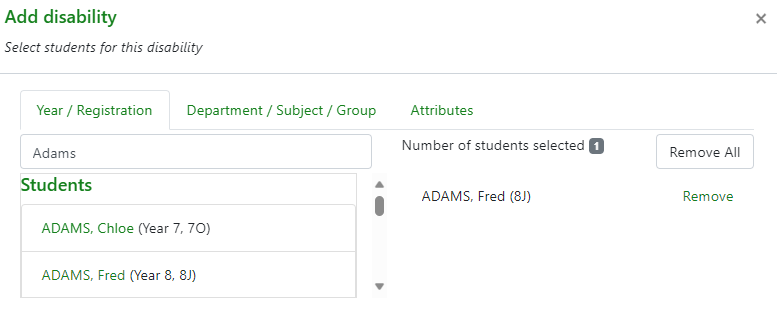
Adding from the student record page
A disability can also be added via the student record page by using the ‘+Add new disability’ link from the disabilities block; the modal is the same as above and can be completed with required information:

Once added to the student record the disability can be selected and more detailed information and/or documents added, as per the disabilities listing page.
Once a disability has been added to the student record it can be managed and updated as required.
Viewing disabilities
To view the data populated for disabilities this can be done via:
- The disabilities listing page to view all students with disabilities, People > Students > Medical > Disabilities
- The individual student record page
- Student attributes as named disabilities, see student attributes for more information about management of the display
- If included in an attribute set, disabilities will display in the data Explorers
- If included in an attribute set to show in markbook pop-outs.