To save curriculum leaders time in setting up markbooks, we have a library of the most used GCSE and A level courses as well as a range of level 2 and 3 vocational qualifications. Prior to copying into a subject, the markbooks can be viewed in our Sample School. Login using your normal username and password, and then select the school Sample markbooks. Once logged in, you can browse to departments and then look for the relevant awarding body.
A level and GCSE markbook templates have been set up to give the curriculum leader a choice of options for tracking on grades or marks. Content from the specification is listed so can be used for testing knowledge and question level analysis marksheets for any publicly available past papers with the appropriate series grade boundaries.
Vocational markbooks are available for a range of qualification types for a wide range of subjects and are set up with all internal optional units.
Once copied into a subject in your GO 4 Schools site, unwanted marksheets can be easily deleted or edited to suit your preferred assessment tracking preferences. Additional marksheets can also be added as required.
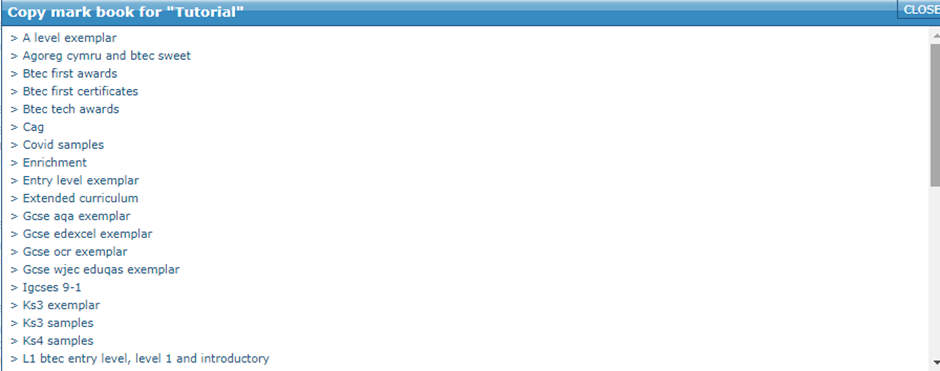
To copy a template into your school, when setting up a new markbook, select the last option on the page Create a markbook by copying a markbook from a template created by GO 4 Schools. Once clicked, a popup will display showing all of the template markbooks:
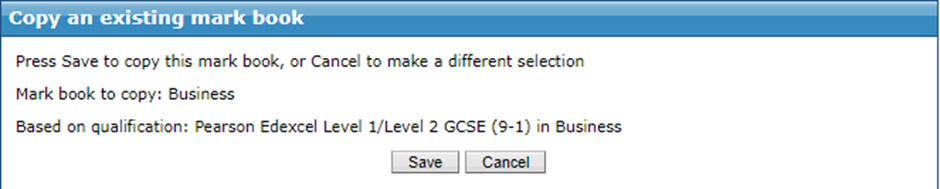
Browse to your desired board/qualification, and once selected click Save: