In some situations, you may want to use a different set of grades of grade boundaries within a marksheet than are used for the overall subject grade. For instance:
- You may teach a subject where there are two areas of the course, e.g. coursework and theory, in which the grade boundaries differ.
- You may want to use grades other than the formal grades, such as Yes/No/Late for recording if homework has been handed in.
- You may want to record a set of foundation assessments in a marksheet, and to specify how to scale down the marks so that, for instance, 80% on an assessment within the marksheet is worht less than 80% in the overall qualification.
You can access the grading scheme editor for a marksheet using the Edit... button on each marksheet:
 There are three options for customising the marksheet grading scheme:
- Base the scheme on the grading scheme from the markbook - used where there are differences in the grade boundaries between papers or different elements of the course, or for higher/foundation grade boundaries.
- Base the scheme on a school-defined grading scheme - used where a school manager has set up a grading scheme to be re-used across different subjects, for example Yes/No/Late for recording if homework has been handed in, or for recording Attitude to Learning or other attributes.
- Create the grading scheme from scratch - similar to the school-defined scheme, but this can be setup for this single marksheet only.

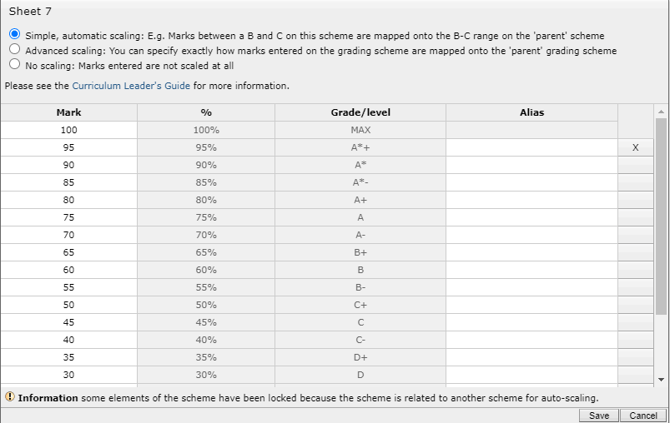
The most common selection is to base the sheet scheme on the markbook grading scheme, and you will then need to choose how the marks/grades scale between your marksheet scheme and the markbook scheme: