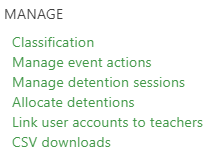
Behaviour event classifications are used to group together behaviour events that have the same set of points, immediate, and follow-up actions. The set of classifications that you use within your school is defined using the Classification link in the Behaviour menu:
A list of the current groups of events appears in the form of tabs across the top of the page, as shown in the screenshot below. The numbers in brackets are the point scores that have been assigned to each group:
 To create a new classification, click the + button to the right of the tabs. You will then be able to specify a name and point score for the group. You can create as many types of groups as needed, and the names and point scores do not need to be unique. If a group has been created in error, and not used, you can use the Remove button to delete it.
 Once your classification has been created, you can then specify which events belong to the group, as well as their availability to staff, significance (for 0 point behaviour events), and whether they should be prioritised to display on the Record group behaviour page. Using the + icon will allow you to add each event, while using the > icon will allow you to move events from one classification to another.
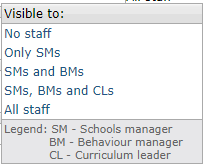
 Visibility - This setting controls which staff have access to assign the event types, as some school prefer to restrict more serious event types to senior staff only. The No staff option can be used to flag an event type that you no longer wish to use. Once the academic year rolls into the new year, you'll be able to delete the event type.
Significance - For events which carry 0 points, this determines whether the event is positive, neutral, or negative. This will affect the colour of the events when displayed in the selection list, as well as the behaviour record on the student page. It will also affect how they are treated in behaviour charts.
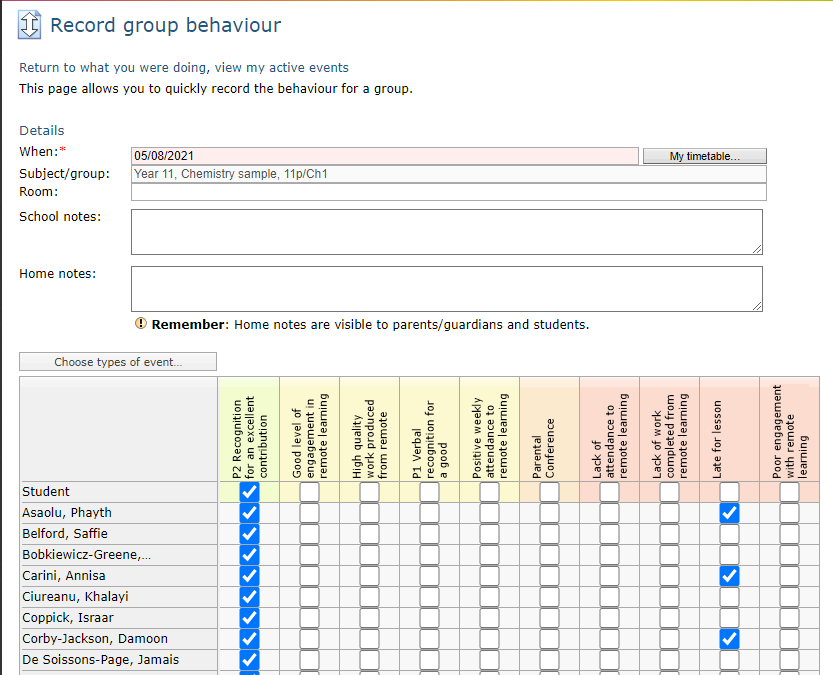
Prioritise - Events which are prioritised are listed on the Record group behaviour page:
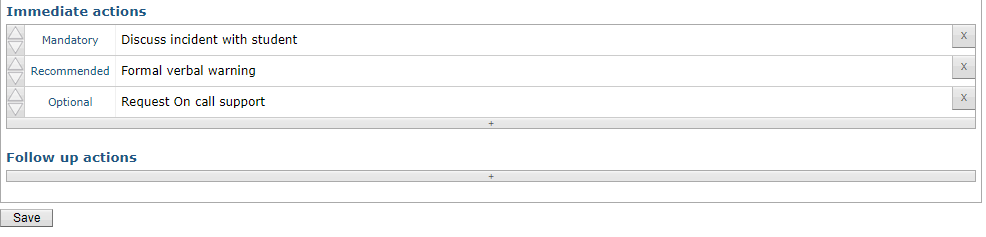
 The final step is to choose which immediate and follow-up actions, if any, are attached to all events in the classification. The choices made here determine the choices that staff will be offered when they are recording an event. To add an action to a group of events click the + button, and you can then choose from your pool of actions set up previously. To change actions from Optional to either Recommended or Mandatory, just click on the word. To remove an action click on the X to the right.