
If you need to remove homework tasks from GO 4 Schools that are no longer required, this can be done by editing the individual task or using one of the manage links on the Homework tasks page.
Using these links is a useful approach to managing your homework storage space in GO 4 Schools.
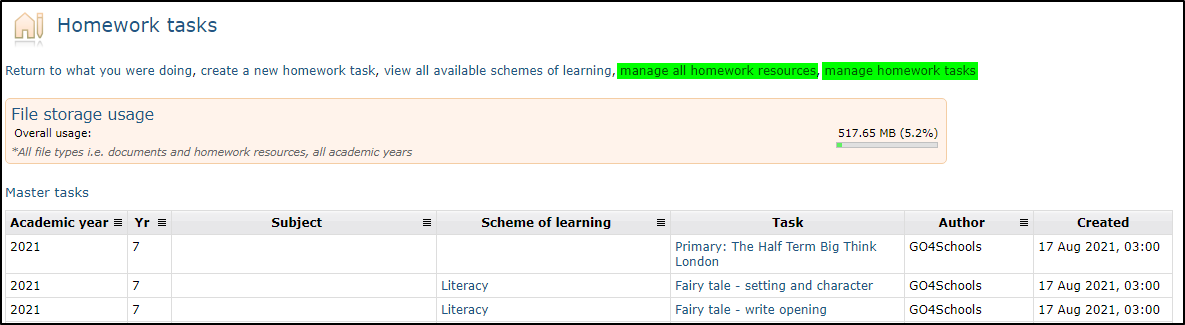
Manage all homework resources allows for the deletion of resources linked to homework tasks.
Manage homework tasks allows for archiving or deleting homework tasks and associated resources.
Manage all Homework Resources
The Manage homework resources page allows all homework tasks and associated resources to be selected and permanently deleted. Resources to be selected display the file size and when the tasks were assigned. Removing resources does not delete homework tasks.
Once the resources have been selected for deletion the option to remove any unassigned tasks without URLs or file resources attached is available prior to clicking on ‘Remove selected items’.

Removing Schemes of Learning
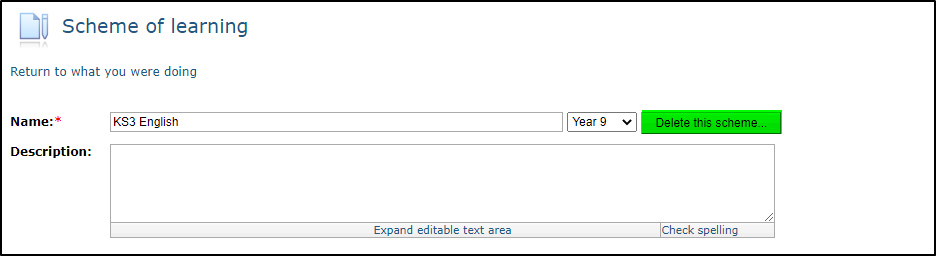
Schemes of learning are removed by selecting My Schemes of Learning or All Schemes of Learning on the Teacher menu, editing the scheme of learning and then selecting the option to Delete this scheme:
Once the delete button is clicked a warning pop-up will need further confirmation and will offer the option of removing all assigned tasks within the scheme:
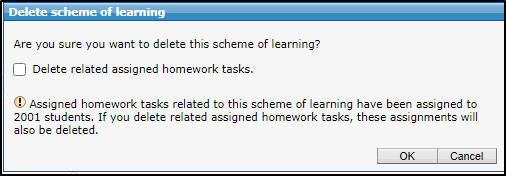
This also offers another approach to removing homework tasks by adding all tasks to be deleted into a scheme of learning with an appropriate name i.e. “Deleted homework” which will enable batches of tasks to be removed.
We recommend that the deletion of tasks is completed at the start of the academic year when homework tasks are yet to be assigned to students so tasks that have been set in the current academic year are not deleted.
Bulk Deletion of Homework Tasks and Resources
The bulk deletion of homework supports schools in better management of the homework storage space available in GO 4 Schools. This process is best managed at the start of an Academic year when no homework tasks have been assigned. Any homework tasks assigned in the current academic year cannot be archived or deleted.
The manage homework tasks link on the Homework tasks page updates the Homework tasks page with a version that can be filtered on the page by Academic year, year group etc.
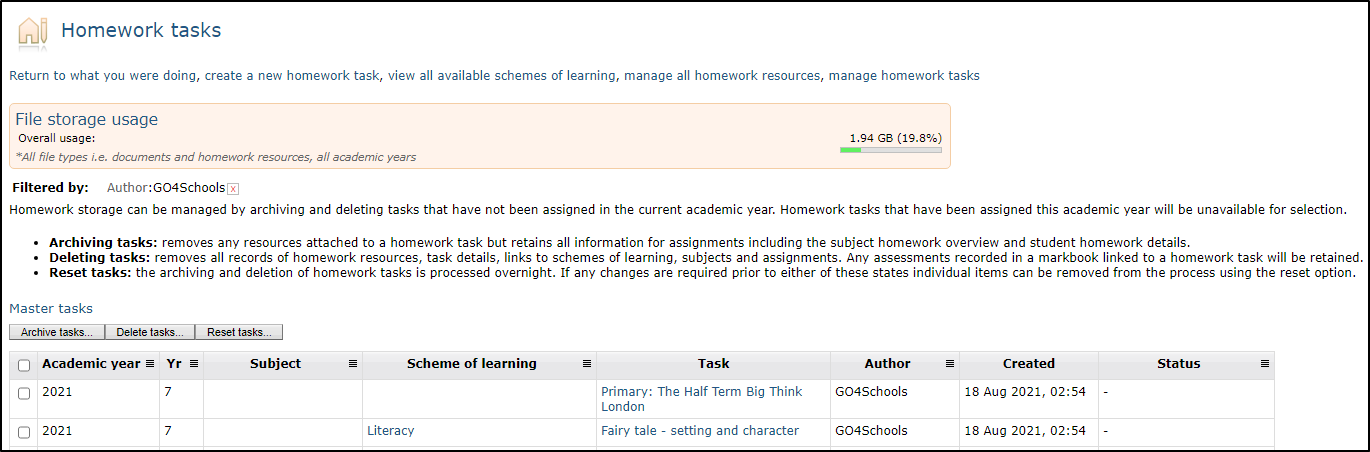
Additional buttons are available on each list to Archive, Delete and Reset tasks:

Archiving tasks removes any resources attached to a homework task but retains all information for assignments including the subject homework overview and student homework details. This allows your staff to still view the full range of assigned homework data for subjects, groups and students in this and previous academic years.
Deleting tasks removes all records of homework resources, task details, links to schemes of learning, subjects, and assignments. Any assessments recorded in a markbook linked to a homework task will be retained. This also applies to previous academic year data.
Reset tasks: the archiving and deletion of homework tasks is processed overnight. If any changes are required prior to either of these states individual items can be removed from the process using the reset option.
The process for deletion and archiving is the same:
1. Apply the filters to find the items that you wish to remove and ‘Select all’ at the top of the
table or select individual items.
2. Select the option to Archive or Delete and a warning will display to check your selection.
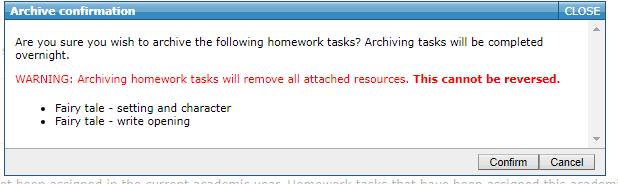
3. The status of all selected tasks will update as ‘To be archived’ or ‘To be deleted’

The process will occur overnight to bulk archive/delete selected items. Prior to the process running if you wish to remove any homework items from the removal process this can be done by reselecting the items and then selecting ‘Reset tasks’. This will remove the status for deletion/archiving from the tasks and they will remain in the homework list.
The following day you can check your Homework storage space to see that this has improved your capacity to add new tasks.