Introduction
The GO 4 Schools Mobile App and online inbox simplify and encourage the flow of information between school and home. Communicating with parents and ensuring students are up-to-date has never been easier or more reliable.
The online inbox is available to all schools and is a record of all messages sent to students/parents, while the Mobile App is available as a module.
Online Inbox
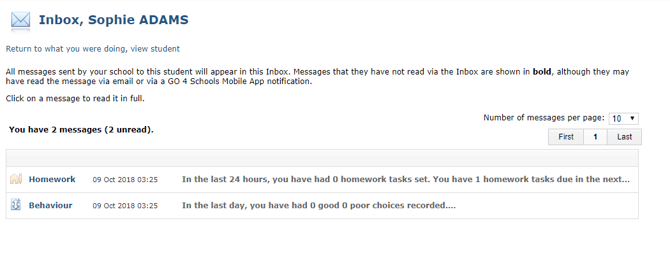
All messages sent to parents or students via GO 4 Schools are saved to their online inbox. Messages that have not been read via the inbox, either on the web page or mobile app are shown in bold. Reading a message via email will not mark it as read in the inbox. These messages currently cover the homework, behaviour, and detention modules. In time, this will include attendance information.
GO 4 Schools Mobile App
Linking directly to the information in your GO 4 Schools subscription, the app is always sharing the latest information.
Current functionality available:
- Attainment and progress grades.
- Behaviour information – including notifications summarising behaviour events.
- Detention notifications, for any detentions set, changed or cancelled.
- Timetable and attendance figures.
- Homework information - including notifications to reinforce homework activities.
Coming soon:
- Progress reports and detention information will follow in time.
Setting up Communication settings
As there are now multiple ways to message parents, we’ve introduced a settings page to give you control over what information is sent, and how parents receive that information. To configure these settings, go to Communication Settings on the people menu.
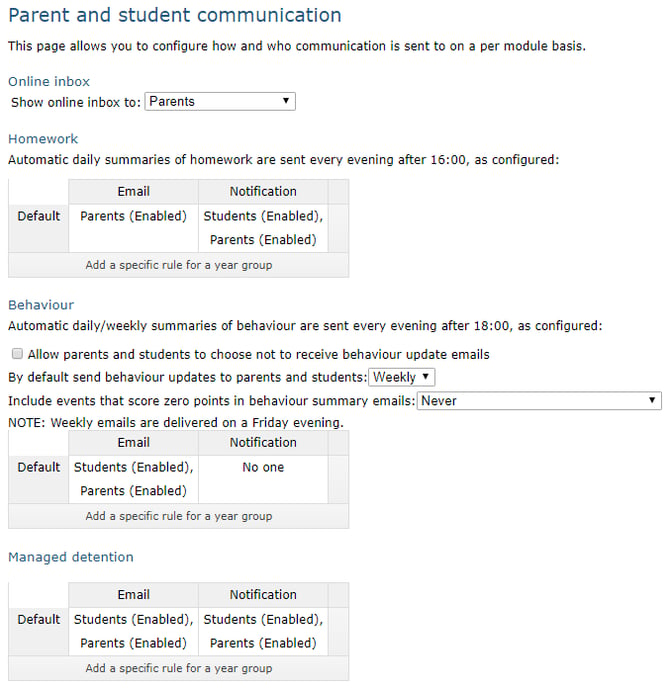
You will only see the settings for modules that are implemented in your school. As a school, this allows you to control whether students and parents receive an email and/or mobile app notification, however all messages will be available in the online inbox. These settings are set on a school-wide level, although parents can change their individual settings.
The homework and behaviour settings allow you to set the communication type as enabled for parents, students, or both – allowing you the ability to send emails and app notifications to parents, while for example, only sending app notifications to students. Homework and behaviour emails and notifications are sent at the end of the school day, whilst detention emails and notification are sent as they are set/changed/cancelled.
The notification settings are only visible when the mobile app has been enabled for your school.
Individual Parent Settings and Online Inbox
GO 4 Schools has also given parents the option to modify their individual settings on their My Settings page. To see the settings that a parent has set for themselves, you need to browse to Parent access on the people menu. Next, choose the year group for the student of the parent, go down the list, and click on the parent’s name:

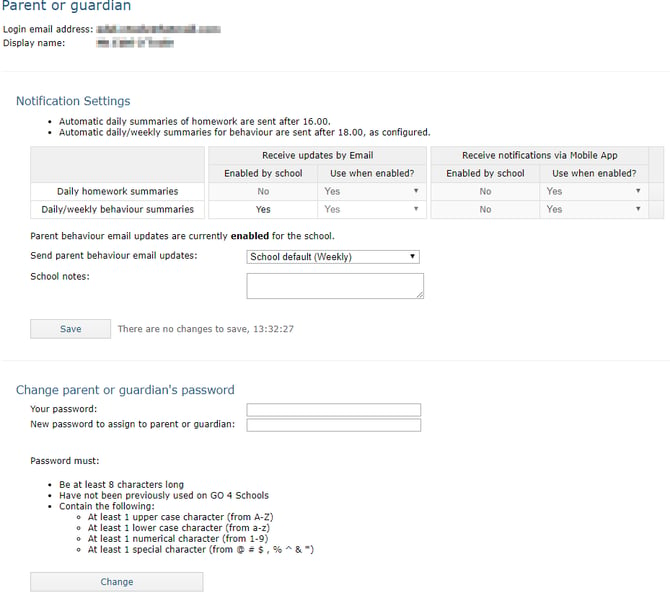
The global display settings allow you to see if the school is using the email/notifications with parents/students. Whilst disabled, parents can still choose their own settings but they will not receive emails or notifications until it is enabled globally.
If the global settings are enabled, a parent’s individual settings will override the school-wide settings, so it is a useful place to check if parents state that they are not receiving the communications. You can also access the parent’s online inbox from the parental access page, using the View link in the Inbox column:

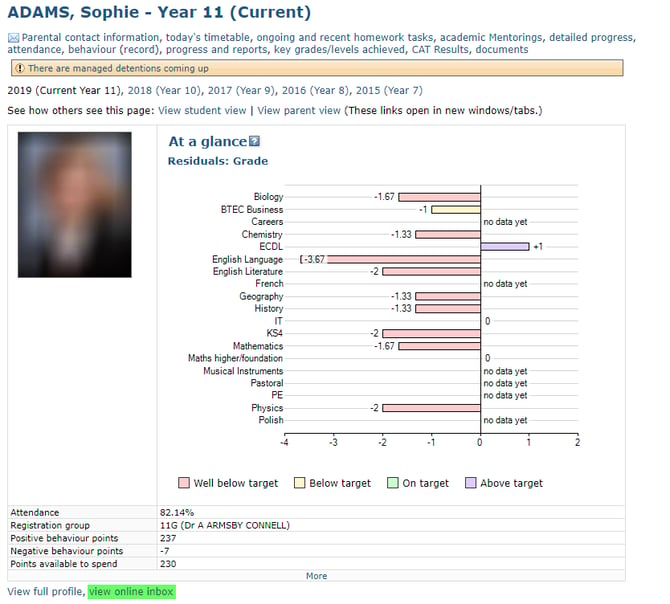
Student Online Inbox
To see the student’s online inbox, there is a link on the student page:
Using the App
The GO 4 Schools Mobile App for parents and students is available to download free of charge from the Google Store for Android devices and the App store for Apple devices. Schools will need to have purchased the Mobile App for students and parents to access data. Parent GO 4 Schools Mobile App Quick Start Guide
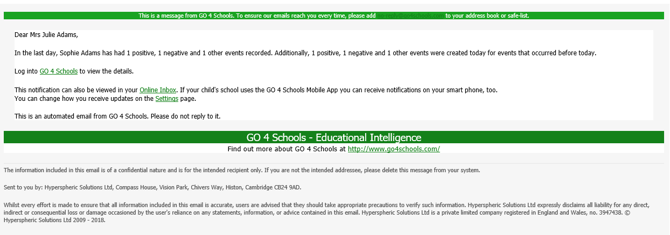
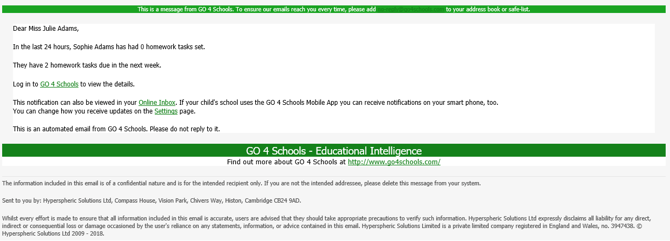
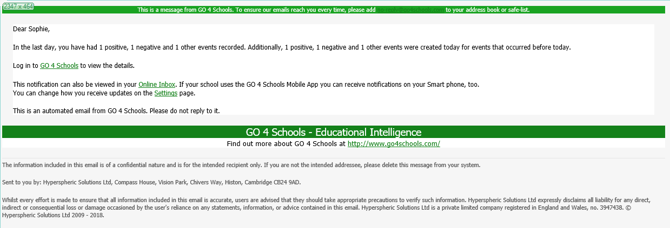
Appendix A – Examples of GO 4 Schools Emails
Parental Behaviour update:
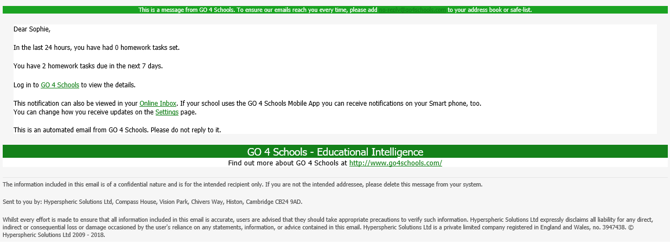
Parental Homework update:
Student Behaviour update:
Student Homework update: