GO 4 Schools provides three ways to monitor attendance, all are available under the attendance menu.
The session attendance status page
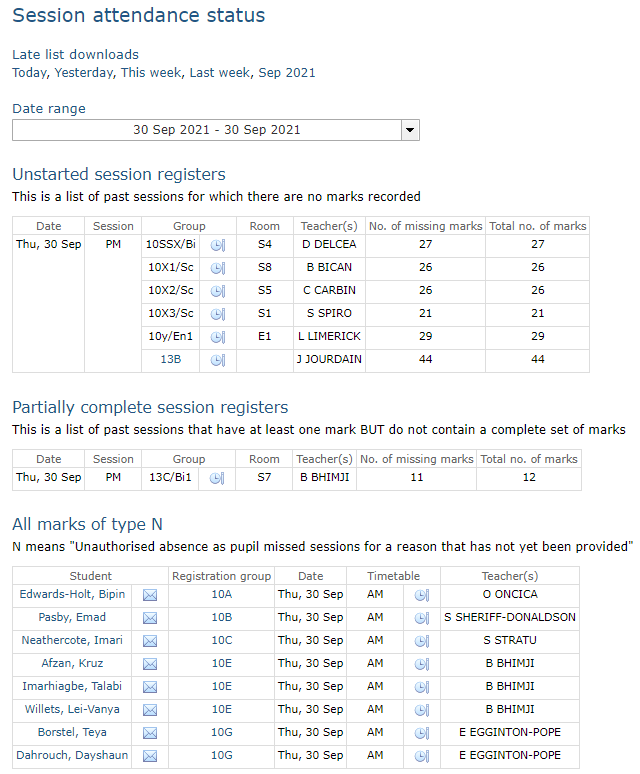
The session attendance status page within GO 4 schools allows attendance officers to quickly see three specific lists:
- Unstarted session registers - A list of groups for which no marks are present today.
- Partially complete session registers - A list of groups for which some marks are missing today.
- All marks of type N - A list of students with N marks for the day.
These lists provide links to the appropriate attendance registers to allow attendance officers to investigate further and to correct/complete marks as appropriate. The list of absent students will also provide access to parental contact details if you've enabled the display of parental contact details.
The lesson attendance status page
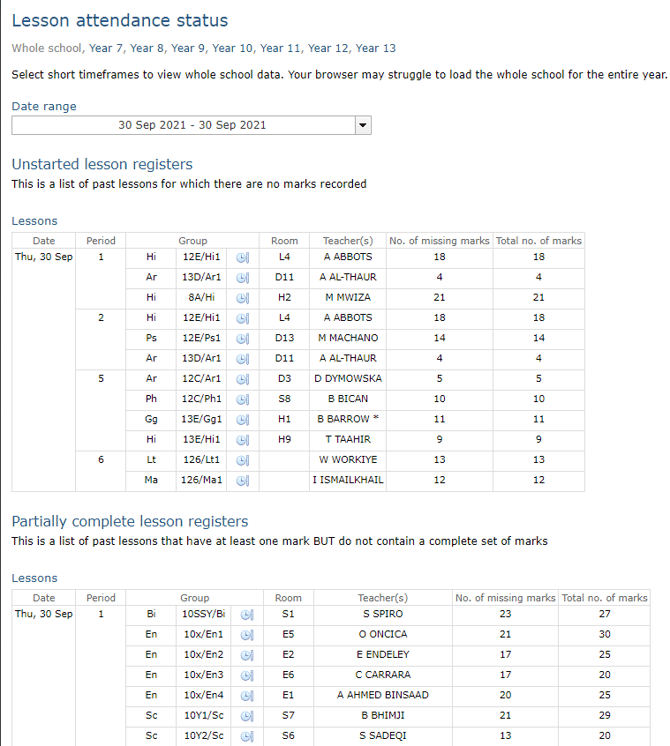
The lesson attendance status page works in a similar way to the session attendance status page, except it will only show unstarted and partially completed lesson registers.
Year/House overview
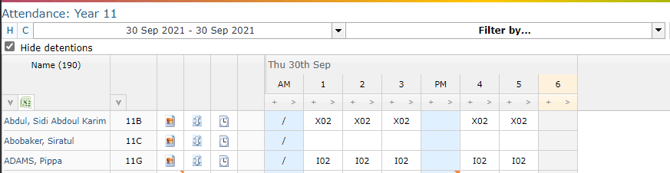
Attendance officers can quickly and easily access registers for entire year groups and/or houses via the Attendance menu. By default the register will show attendance marks for the current week, but it is possible to change the dates displayed using the date picker. The H button displays a list of possible marks allowing you to highlight specific marks in the register to make them more visible - you have the option to highlight lesson (L) or session (S) marks. The C button provides a compact view to allow more days' worth of marks to be seen. The filter will allow you some basic filtering on the register.