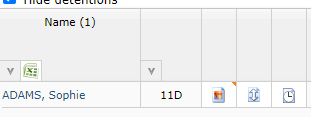
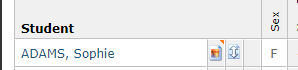
Quick notes are available to SIMS users only, it is a system attribute, and it is used traditionally to highlight important information about a student so that staff have quick access to it. This sometimes contains clarification details about contacting home, but also can contain highly sensitive information. For this reason, it is not enabled by default, and is never visible to students and parents. We do not collect this information either, so schools need to make a change to their feed tool if they want to use this functionality.
Enabling quick notes in feed tool
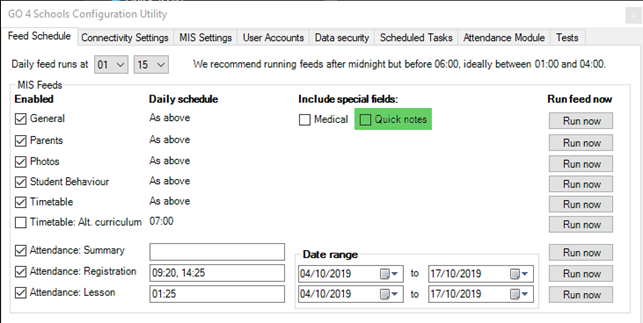
You must be using a feed tool on version 2.2.7 or higher for this functionality. On the feed tool there is an option to include quick notes - this needs to be selected, and a general feed will need to process containing quick notes for the system to display them:
 Enabling quick notes in GO 4 Schools
To display quick notes on the site, you need to enable its use, as well as make it visible to staff (it is not visible by default). Browsing to the settings tab of the school's contact details and settings, there are three settings regarding quick notes:
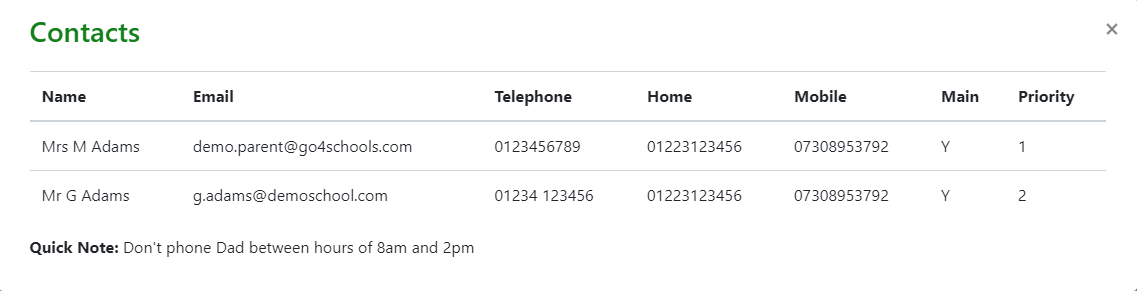
 The most basic use would be the first option, which will only show the note in the parental contact details from the student page:
 The second option shows an icon next to the student photo on the student page:
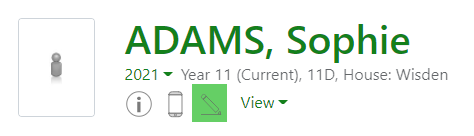
The third option will show a flag next to the student photo icon in markbooks, attendance registers, and explorers. This alerts staff to the presence of a quick note, which must then be read on the student page. The note is not shown in markbooks and registers to avoid staff inadvertently displaying sensitive information: