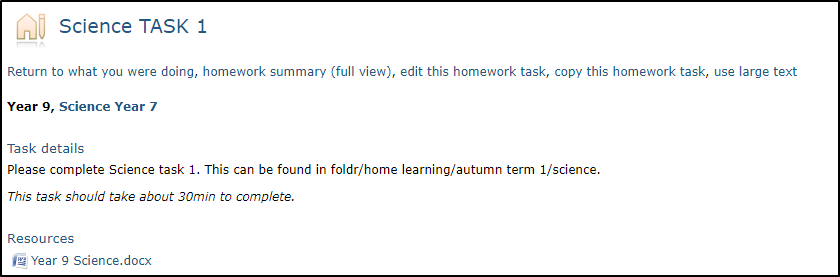
A scheme of learning is simply a collection of homework tasks that can be associated with one or more courses. It provides a means of grouping items to provide context for staff and make homework tasks easier to locate when assigning to a group.
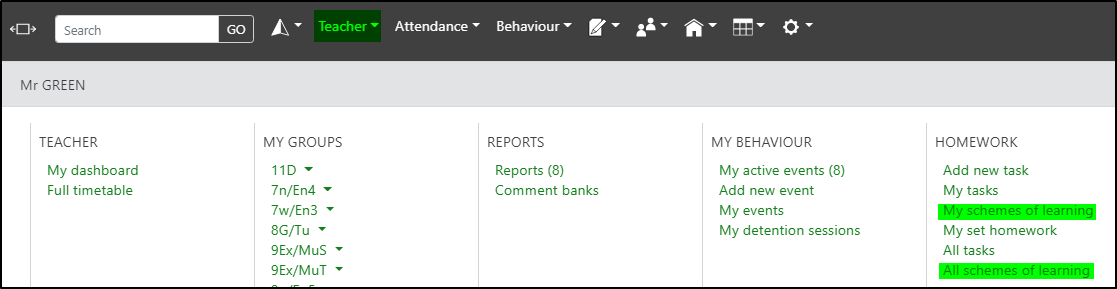
Schemes of learning can be accessed from the teacher menu to select either schemes you have created or all schemes of learning:
Creating a Scheme of Learning
You should click the create a new scheme of learning button to create a new scheme of learning:
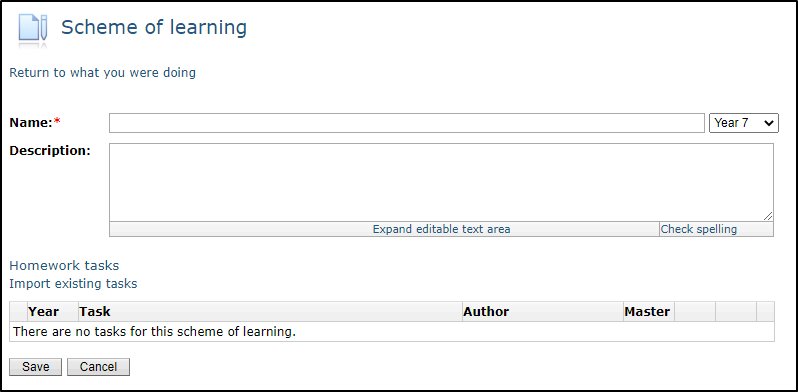
The scheme Name is the only mandatory field. The year group can be used to organise schemes of learning to make them easier to work with but will not limit the use of the scheme to that year group.
Linking Schemes of learning to a subject via the Markbook editor
School managers and curriculum leaders can link one or more schemes of learning to a subject via the markbook editor. This makes it quicker and easier for homework tasks from those schemes of learning to be assigned to groups in the subject. Assigning schemes of learning to a subject does not prevent homework from other schemes of learning from being assigned; it simply makes it easier to select homework from schemes of learning that are linked.
In the markbook editor you will see a field labelled Schemes of learning. To link a scheme of learning click on the Change link. You can link more than one:
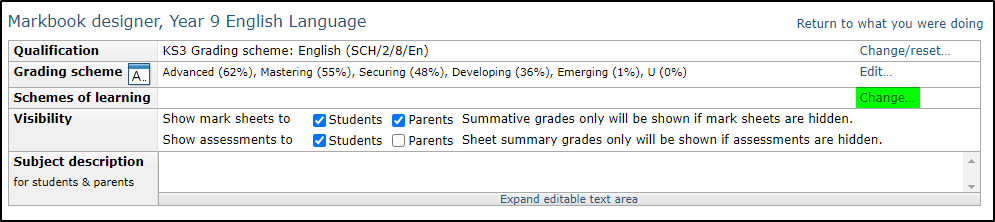
Schemes will be grouped by year group. Simply tick the check box(es) next to your chosen scheme(s) and click OK. Then save the markbook:
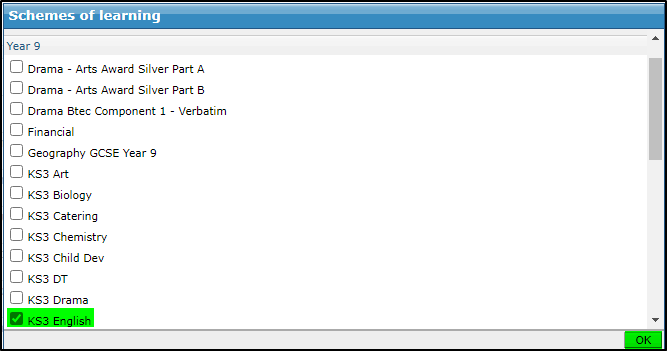
The scheme of learning will now show as being linked to English:

Organising Homework Tasks into Schemes of Learning
Each subject can be linked to multiple schemes of learning, to make it easy to assign homework to a group within the subject, and making it easy to share homework tasks between subjects, e.g. the same Scheme of learning could be linked to core science and biology to make it easy to set the same homework to students following either course.
When you create or edit a Scheme of Learning, click on the link to Import existing tasks under the Homework tasks heading:
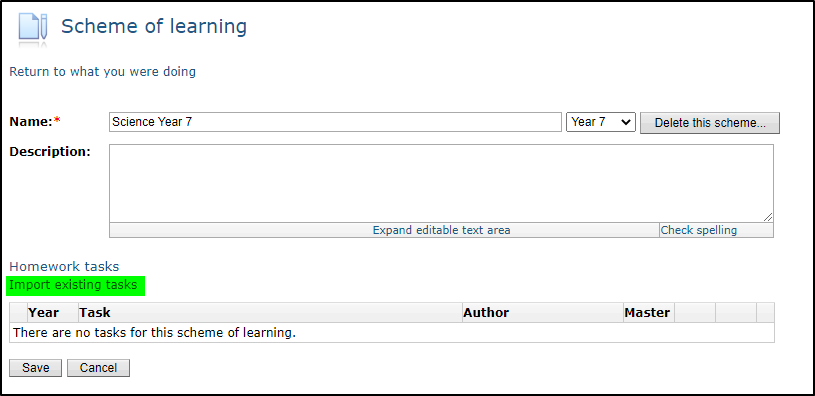
Homework tasks will be grouped by scheme or listed under ‘Stand alone’ tasks.
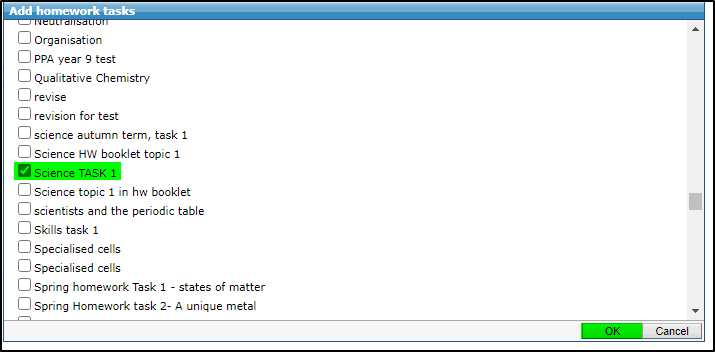
Here you can select all the homework tasks relevant for this scheme of learning, making them easier for teachers to find when they come to set homework for students.
Note that each homework task can belong to just one scheme of learning. Importing into scheme A will remove it from scheme B.
When you’re finished click OK, then Save:
Now when viewing the scheme of learning the homework tasks will show as well:
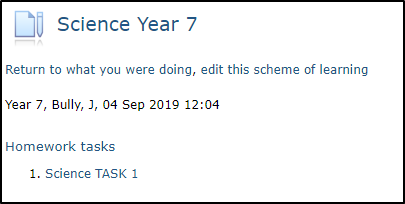
Clicking on the homework task will show you the details. You also have the option to edit or copy the task from here: