
A standard marksheet is suitable for recording KS1 to KS3 assessments and form most GCSEs and AS/A level qualifications.
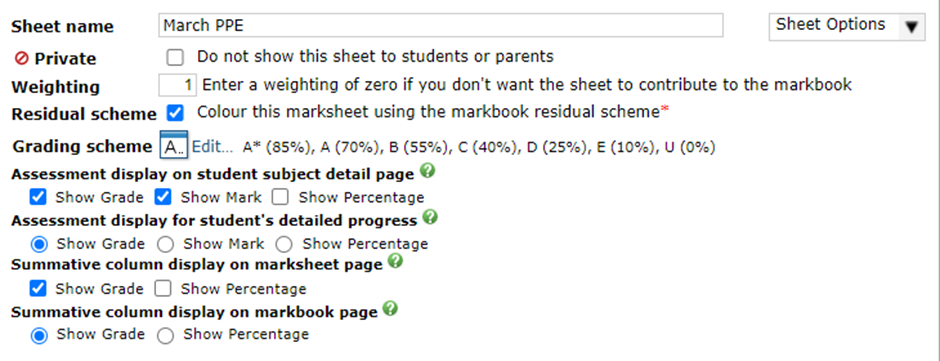
The top section allows the sheet's name and weighting to be adjusted. If a sheet is given a weighting of zero it does not contribute to the overall grade. You can also set a sheet to be private, meaning it is not visible to students and parents, by default this will set the sheet weighting to zero, you can change this, but it can lead to parents and students seeing discrepancies when they see an overall grade. You can flag the sheet to use the residual scheme for the subject, as well as change the marksheet grading scheme. Finally, you can set the assessment/marksheet visibility settings for the student page as well as in the markbook/marksheet.
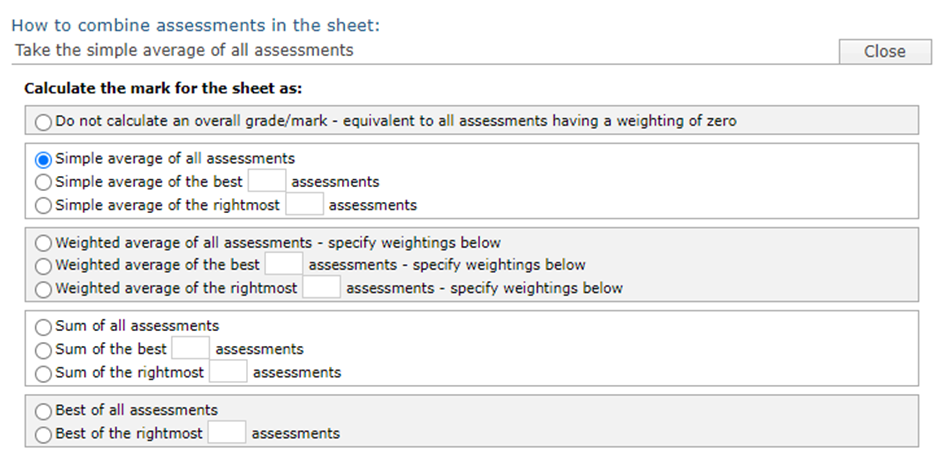
The central section allows the way in which the assessments are combined to be changed. Option include a simple average, a weighted average, find the sum of the best n assessments, etc. If you select the option Do not calculate an overall grade/mark this will automatically zero-weight the marksheet.
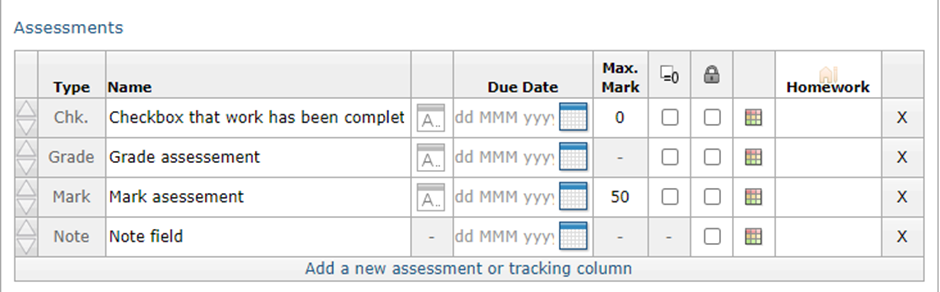
The bottom section allows you to add columns to your marksheet for recording grades, marks, or short notes (up to 200 characters in length). You can also add checkboxes to track the completion of pieces of work. Each of the items you add can have a name, due date and can be given a colour coding which affects the background colour of the label when the marksheet is viewed in the markbook. You can also lock columns which prevents their contents being changed. The sequence of the items can be changed using the arrows on the left-hand side, and items can be removed by clicking the X button on the right. You can change most aspects of a marksheet at any time, but some aspects will be locked if marks have been entered into the marksheet.
Understanding the behaviour of grades, marks, checkboxes, and notes:
- Notes fields (up to 200 characters) always have a weighting of zero, and never have an impact on the grade calculated for a marksheet even if they hold text that looks like a number or grade.
- If you are adding a mark-entry item, you can specify how many marks it is out of. You can change this until marks have been entered by staff.
- By default, missing mark/grades are simply ignored in the calculation of the overall grade for the marksheet, but you can treat them as a zero if you use the =0 tick box
- If you are adding a checkbox, you can specify how many marks are available for the item of work. If the checkbox is ticked the student will get all of the available marks, but if it is unticked then the column will be ignored unless you have indicated that the missing mark should be treated as zero.