
The detailed student attendance record is available for every student that appears in GO 4 Schools if your school has purchased the attendance module at tier 1, 2 or 3. The record provides detailed attendance information about the selected student, including current overall attendance, attendance broken down by mark type and lesson attendance by subject.
The detailed attendance record for a student is available from their student profile page. To access the student profile page, you can either search for the student by name in the search bar shown, or click their name from your register or markbook view.

Once on the student profile page, either click the Attendance icon on the left hand side or click the Attendance link in the Attendance box to view the detailed attendance record for the student. The attendance pie chart shown below can also be added to Progress Reports during the reports creation process.
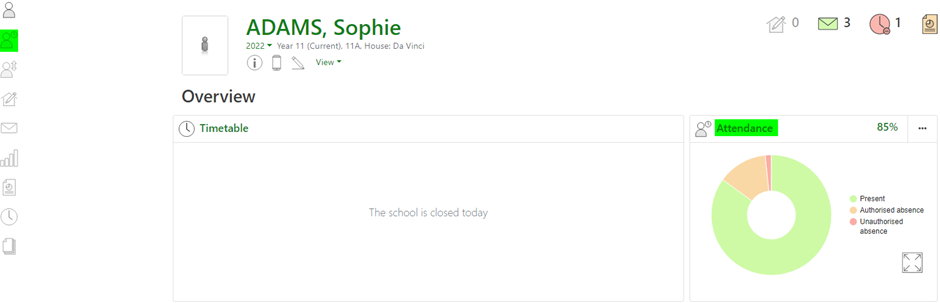
You will now see the detailed student attendance record as shown below.
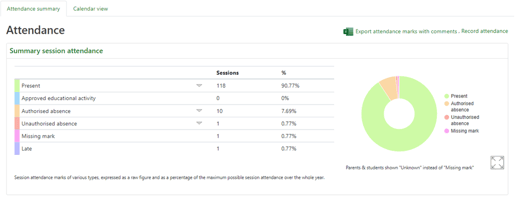
Summary session attendance with individual AM/PM session attendance mark breakdown of codes applicable to the student:
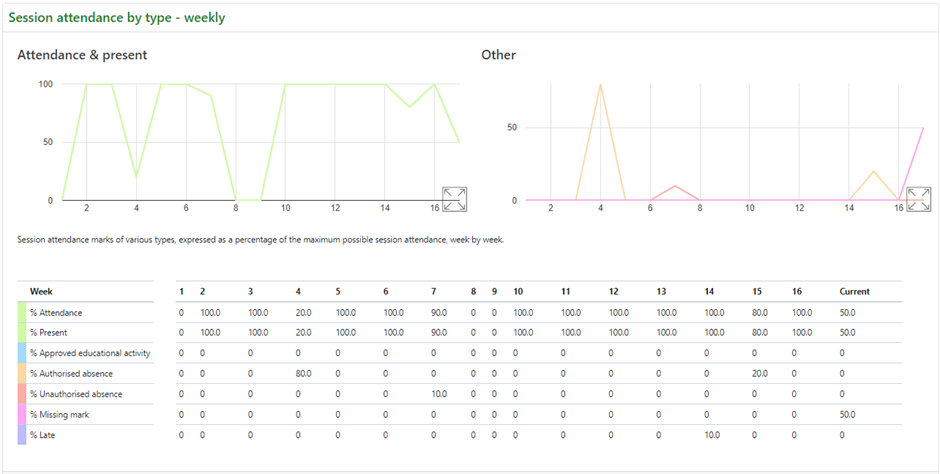
Weekly and current overall (cumulative) attendance:
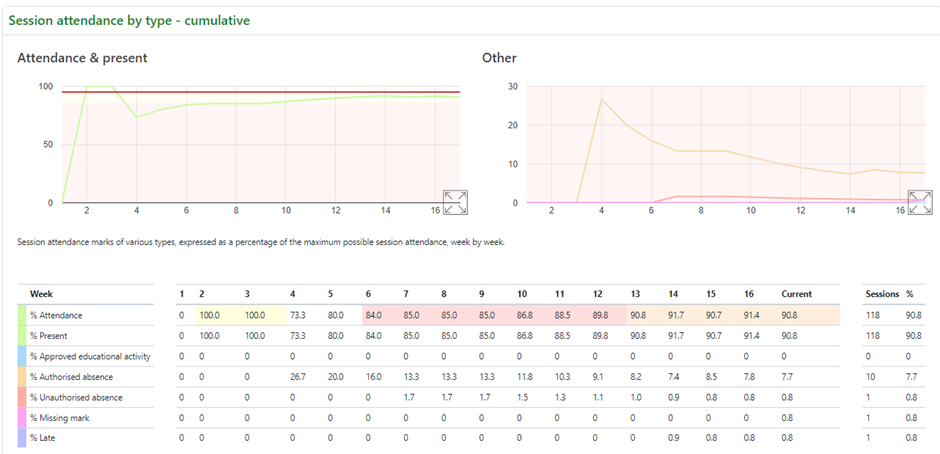
Heat map showing cumulative AM/PM session attendance changes broken down by attendance mark types:
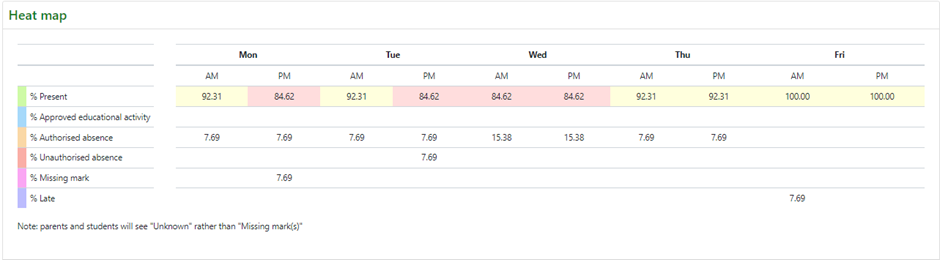
Lesson attendance by subject with a breakdown across key attendance mark types:

These outputs enable you to consider the impact attendance is having on the student’s achievement and identify any emerging attendance patterns across the week during mornings, afternoons or certain lessons, then take swift action to improve any concerns.
Top Tips
- If you have a student with persistent absence and the intervention from external agencies is required this page can be printed from your internet browser onto school headed paper as an attendance report for the student. [NB: Remove the headers and footers from the print view]
- The top of the detailed attendance page is a CSV download link, this download will provide all the details of attendance marks for an individual student to review patterns in attendance
- The detailed attendance page can be shared with students and parents. Today’s attendance mark can be excluded from view, but this may be helpful to share.