
GO 4 Schools provides several tables that allow you to track and assess the behaviour data collected. Please see below a list of the available tables/explorers which are available. These tables/explorers can all be accessed via the Behaviour menu:
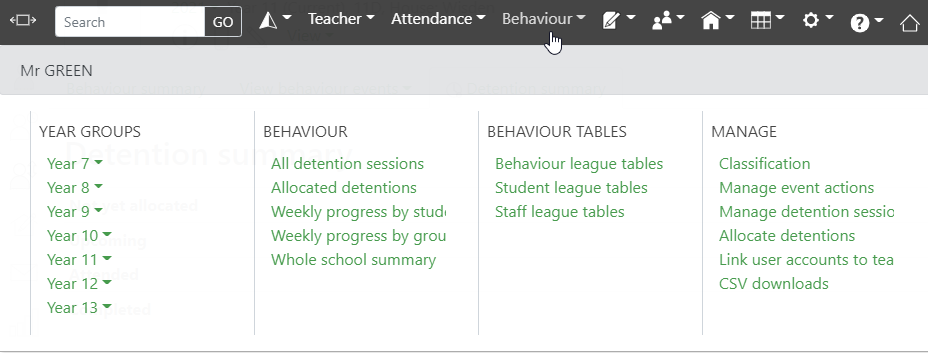
| Weekly progress by student | This table displays the behaviour progress for each student from one week to the next in terms of target scores verses current scores. The table can be ordered into year group, house group, or tutor group as required. |
| Weekly progress by group | This table shows the behaviour progress by tutor group in terms of how many students within that group met their targets that week. |
| Behaviour league tables | This page links to a number of behaviour explorers which will allow you to filter data in order to identify intervention groups. You can explore by house, year, department, or tutor group. Click on the Explore link next to your preferred option to open the explorer. From here you can change the time period, and apply filters to your selection |
| Student league tables | This page allows you to compare the total number of positive and negative points/events by student. You can choose to view by year, house, department, registration group, or whole school. You can also specify the time period you would like to look at. Common uses for this page are:
The data from this page can be downloaded as a .csv file. |
| Staff league tables | This page allows you to view the total positive and negative points awarded by members of staff during a given time period. You can view the data by whole school, year group, or department. The data from this page can be downloaded as a .csv file. |
| Whole school summary | This page provides a summary for the whole school showing the total number of events, total scores, percentages of all events, percentages of positive events, and percentages of negative events, broken down by severity. |